Overview
Module: Module 1: Infrastructure & Addressing
Activity type: Lab (Practice)
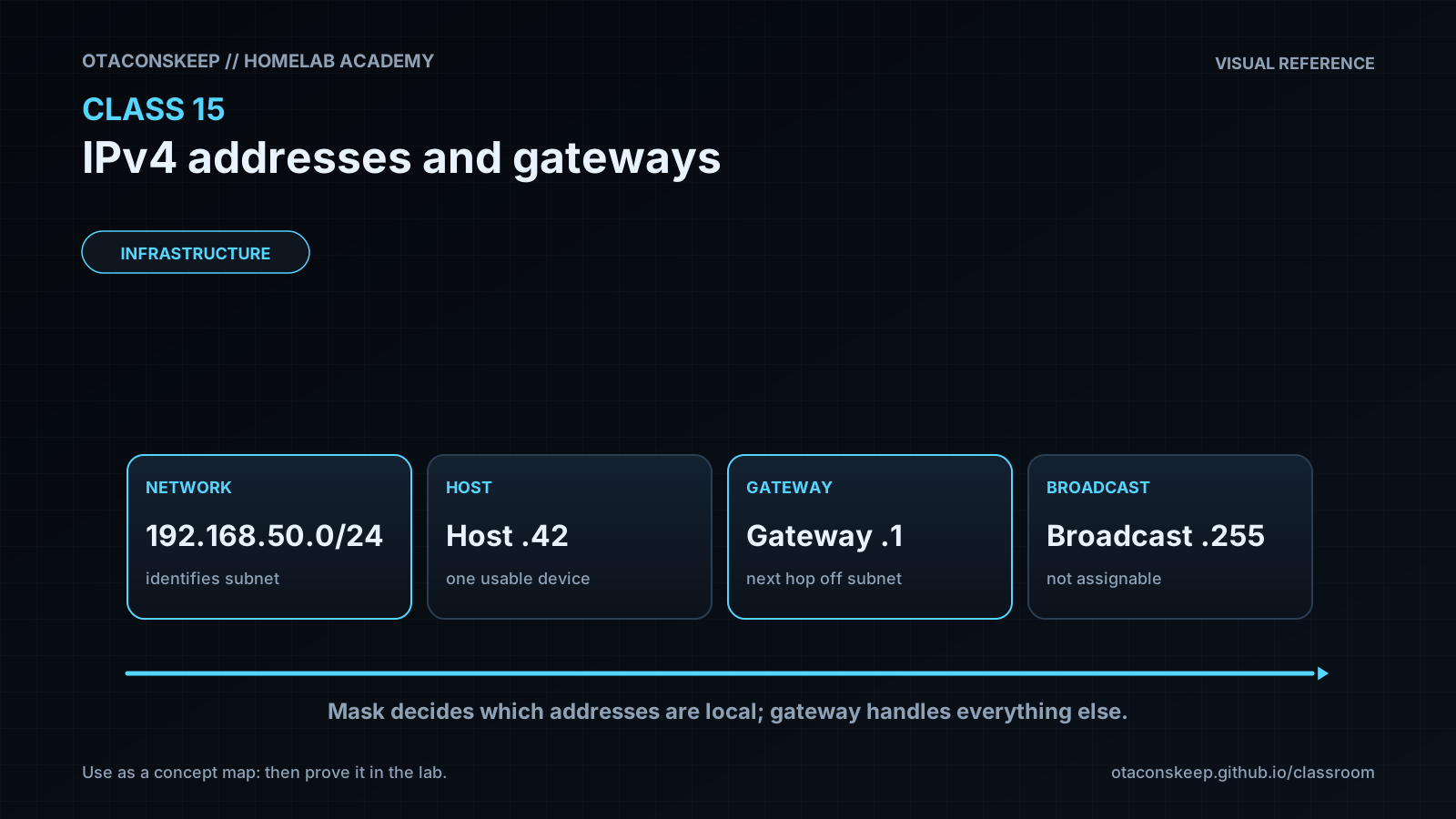
Objective: Given a host, the learner can read IPv4 address, mask, and gateway; explain network vs host bits; contrast classful charts with classless /24 math; and decide same-LAN vs via-gateway delivery.
Before you start
- Reading complete
- Lesson Feynman teach-back drafted (you may refine after the lab)
Guided lab
Use the machine you actually lab on. Replace example IPs with yours.
Path A: Read the trio and classify network vs host
Capture interface facts.
ipconfig
ipconfig /all
Get-NetIPConfiguration | Format-List InterfaceAlias, IPv4Address, IPv4DefaultGateway
ip -br addr
ip route
ip -4 addr show
Workbook table: adapter name, IPv4, mask, gateway, DHCP or static.
Apply the 255/0 hack. Circle network octets vs host octets. Write one sentence: “Every host on my LAN shares _ and differs in _.”
List three other devices on the same LAN (phone, AP, Proxmox, printer). Confirm their IPs share the network portion you predicted (check each device’s status page or arp/ip neigh after a ping).
ping -c 2 GATEWAY-IP
ping -c 2 OTHER-LAN-HOST
ip neigh
ping -n 2 GATEWAY-IP
ping -n 2 OTHER-LAN-HOST
arp -a
Path B: Same LAN vs via gateway
Same-network test: ping another LAN host; expect success (firewall permitting).
Off-network test: ping 1.1.1.1 (or another known Internet IP). Expect success only if WAN works.
ping -c 3 1.1.1.1
traceroute -n 1.1.1.1 | head
# First hop should be your default gateway on a normal home setup
ip route | awk '/default/ {print}'
ping -n 3 1.1.1.1
tracert -d 1.1.1.1
# First hop should be your Default Gateway
Workbook: “First hop to the Internet was ____ (gateway). Local NAS ping did / did not need that hop for delivery decision.”
Path C: Usable-address math on your `/24`
If your mask is 255.255.255.0, compute:
- network address
- broadcast address
- theoretical host count (254)
- practical leftover after gateway (document your gateway IP)
Optional stretch: on the router admin UI (screenshot secrets removed), note DHCP pool start/end. Compare pool size to your math.
Static caution (do not break production): pick an unused address inside the subnet but outside the DHCP pool if you later static a lab VM. Record the choice; do not implement on a critical host until Class 1/Proxmox needs it.
Path D: Classes, loopback, and ping
Classify your LAN IP by first octet using the A–E chart. Write: class letter, default classful mask, and your actual mask. Are they the same? (Most home LANs are Class C looking with a /24 mask, or Class A looking 10.x with a classless /24.)
Workbook contrast: one row for “classful default size,” one row for “my real network size.” One sentence: “Classful told me _; classless/mask told me _.”
Loopback proof
ping -n 4 127.0.0.1
ping -n 2 127.0.0.2
ping -c 4 127.0.0.1
ping -c 2 127.0.0.2
Workbook: “Loopback succeeded / failed. I would / would not assign a 127.x address to a NAS.” Circle Class D and E on the chart and write “not for unicast hosts.”
Break / fix
Break/fix
-
Disconnect Wi-Fi / unplug Ethernet →
ipconfig/ip addrloses address or shows disconnected → restore → address returns (DHCP) or static returns. -
Wrong mental model: pretend a host
10.0.0.5is “local” to your192.168.1.0/24without a router, explain why the mask says no. -
Gateway down simulation (lab only): if you can safely shut WAN on a test router, confirm LAN pings still work while
1.1.1.1fails, proves local vs remote paths. -
Class vs mask: take a
10.xaddress with mask255.255.255.0and explain to a partner why calling it “a Class A network of 16 million hosts” would be wrong for your LAN. -
Loopback vs LAN: with Wi-Fi off, confirm
ping 127.0.0.1still works whileping 1.1.1.1fails, local stack vs Internet path.
Feedback / common mistakes
- Mixing up private LAN IP with public WAN IP.
- Calling every dotted number “the IP” and ignoring mask/gateway.
- Assuming all LANs are
192.168.1.0/24. - Assigning
.0or.255to a host on a/24. - Duplicating an IP already leased by DHCP.
- Debugging Docker DNS before confirming the host even has a gateway.
- Treating classful defaults as how the Internet still assigns every network (it does not, CIDR/classless won).
- Putting a Class D/E or
127.xaddress on a lab host “because the chart had free numbers.” - Confusing “4.3 billion total IPv4 values” with “4.3 billion free for my devices.”
Lab gate
All boxes must be true before the next class unlocks. If you fail: feedback → targeted review → new practice → reassess.
- [ ] Student can show IPv4, mask, and gateway from CLI or phone UI and read them aloud correctly.
- [ ] Student marks network vs host portions using the 255/0 hack for their real LAN.
- [ ] Same-LAN ping and Internet ping are both demonstrated (or failures explained with evidence).
- [ ] Usable-address calculation for their
/24(or documented non-/24 with instructor help) is in the workbook. - [ ] Student can explain network address, broadcast address, and why the gateway consumes an address.
- [ ] Student maps their LAN IP to a historic class, states the default mask, and contrasts it with the real mask (classful vs classless).
- [ ] Student demonstrates
ping 127.0.0.1and explains why127.0.0.0/8is not LAN address space. - [ ] Student names Class D (multicast) and Class E (reserved) as non-assignable for ordinary hosts.
- [ ] No home street address, no real public IP doxxing, and no secrets in shared screenshots.
- [ ] Prior-knowledge check answered
- [ ] Feynman teach-back completed (Explain, Simplify, Example, Weak spot, Retry)
- [ ] Independent practice completed
- [ ] Retrieval check attempted (target ≥80% when scored)
- [ ] Evidence recorded in workbook / verification matrix