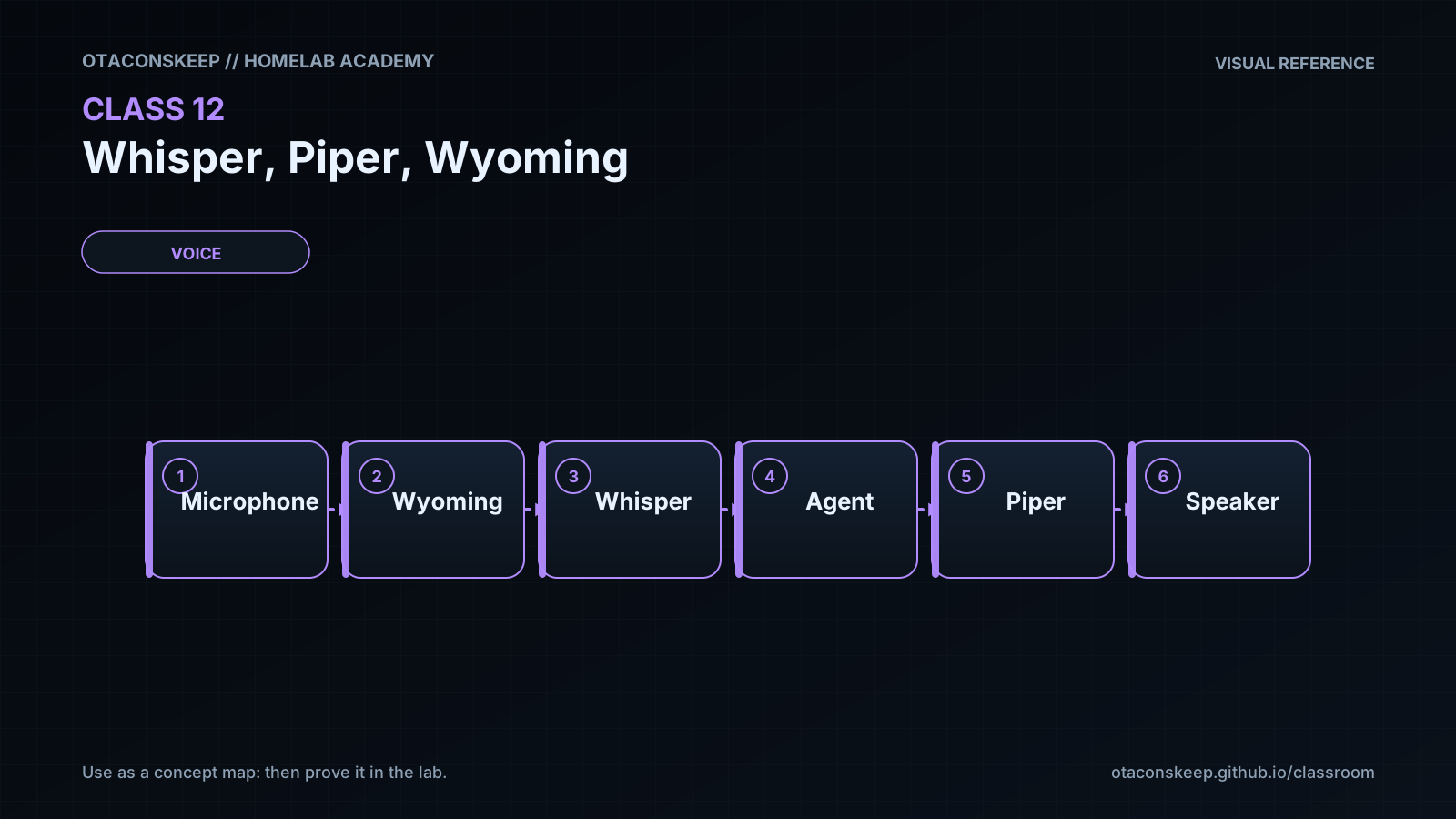
Overview
Module: Module 4: Local Voice Assistant
Activity type: Lab (Practice)
Objective: Given CPU/RAM constraints, the learner can deploy local Whisper (STT) and Piper (TTS) via Wyoming, benchmark them separately, and record latency/quality tradeoffs before integration.
Before you start
- Reading complete
- Lesson Feynman teach-back drafted (you may refine after the lab)
Guided lab
Deploy Whisper via current HA Wyoming docs (add-on, container, or supervised path you actually support).
docker compose ps | egrep -i 'whisper|wyoming' || true
ss -lntp | egrep '10300|10301' || true
curl -sv telnet://127.0.0.1:10300 2>&1 | head
docker compose ps
# Confirm the Wyoming STT endpoint host/port from your docs, then:
Test-NetConnection -ComputerName 127.0.0.1 -Port 10300
Confirm model/language loaded in logs.
docker compose logs --tail=100 whisper 2>/dev/null || docker compose logs --tail=100 | egrep -i 'whisper|model'
Connect Wyoming STT in Home Assistant (Settings → Devices → add Wyoming).
Fixed phrase set (workbook), run each 3 times, record transcript + cold/warm latency:
turn on test lamp
turn off test lamp
what time is it
set timer for five minutes
ignore this please
Change only one variable (model size, mic distance, or noise) and repeat one phrase set.
Deploy Piper per current docs; keep voice model + metadata together.
docker compose ps | egrep -i 'piper|wyoming' || true
ss -lntp | egrep '10200|10201' || true
Add Wyoming TTS in HA; select the Piper voice.
Synthesize five fixed responses (UI media player / tts.speak service). Confirm no clipping.
Measure synthesis latency vs playback latency separately.
Stress strings: numbers, abbreviations, entity names, one long sentence.
Change one voice parameter only (if supported); compare intelligibility.
Break / fix
Break/fix
-
Point HA at the wrong Wyoming port; confirm failure mode; restore.
-
Remove Piper metadata mismatch deliberately; observe error; restore matching pair.
-
Saturate CPU with a disposable load; rerun one STT phrase; compare latency.
Feedback / common mistakes
- Skipping evidence and calling it done.
- Changing multiple variables before retesting.
- Moving on without completing Feynman teach-back.
Lab gate
All boxes must be true before the next class unlocks. If you fail: feedback → targeted review → new practice → reassess.
- [ ] Whisper endpoint is locally reachable through the intended path.
- [ ] Five-phrase transcript results are recorded.
- [ ] Cold/warm latency is measured.
- [ ] Piper produces complete intelligible output.
- [ ] Network, model, and audio faults can be distinguished.
- [ ] Resource-contention behavior is known.
- [ ] Neither voice service is publicly exposed.
- [ ] Prior-knowledge check answered
- [ ] Feynman teach-back completed (Explain, Simplify, Example, Weak spot, Retry)
- [ ] Independent practice completed
- [ ] Retrieval check attempted (target ≥80% when scored)
- [ ] Evidence recorded in workbook / verification matrix