Overview
Module: Linux Foundations
Activity type: Reading (Learn)
Objective: Explain the difference between the filesystem root directory and the root user
Vocabulary
| Term | Meaning |
|---|---|
| Filesystem | The organized structure through which an operating system stores and retrieves files, directories, links, and associated metadata. |
| Root directory | The top of the Linux directory hierarchy, written as a single forward slash. It is a location and is distinct from the root administrative account. |
| Working directory | The directory a process currently uses as the starting point for resolving relative paths. |
| Absolute path | A pathname beginning with a forward slash and resolved from the filesystem root. |
| Relative path | A pathname resolved from the current working directory rather than from the filesystem root. |
| Directory entry | A name stored in a directory that associates that name with an inode. |
| Inode | A filesystem data structure containing metadata and references to file data. A filename is not stored as the inode itself. |
| Hard link | An additional directory entry that refers to the same inode as another filename on the same filesystem. |
| Symbolic link | A special file whose content is a pathname that Linux resolves when the link is followed. |
| Hidden file | A file or directory whose name begins with a dot. It is hidden by convention from default directory listings, not by a security boundary. |
| Mount point | A directory at which another filesystem is attached to the unified Linux directory tree. |
| Canonical path | A resolved path with symbolic links and dot components interpreted to identify the resulting location. |
Instruction
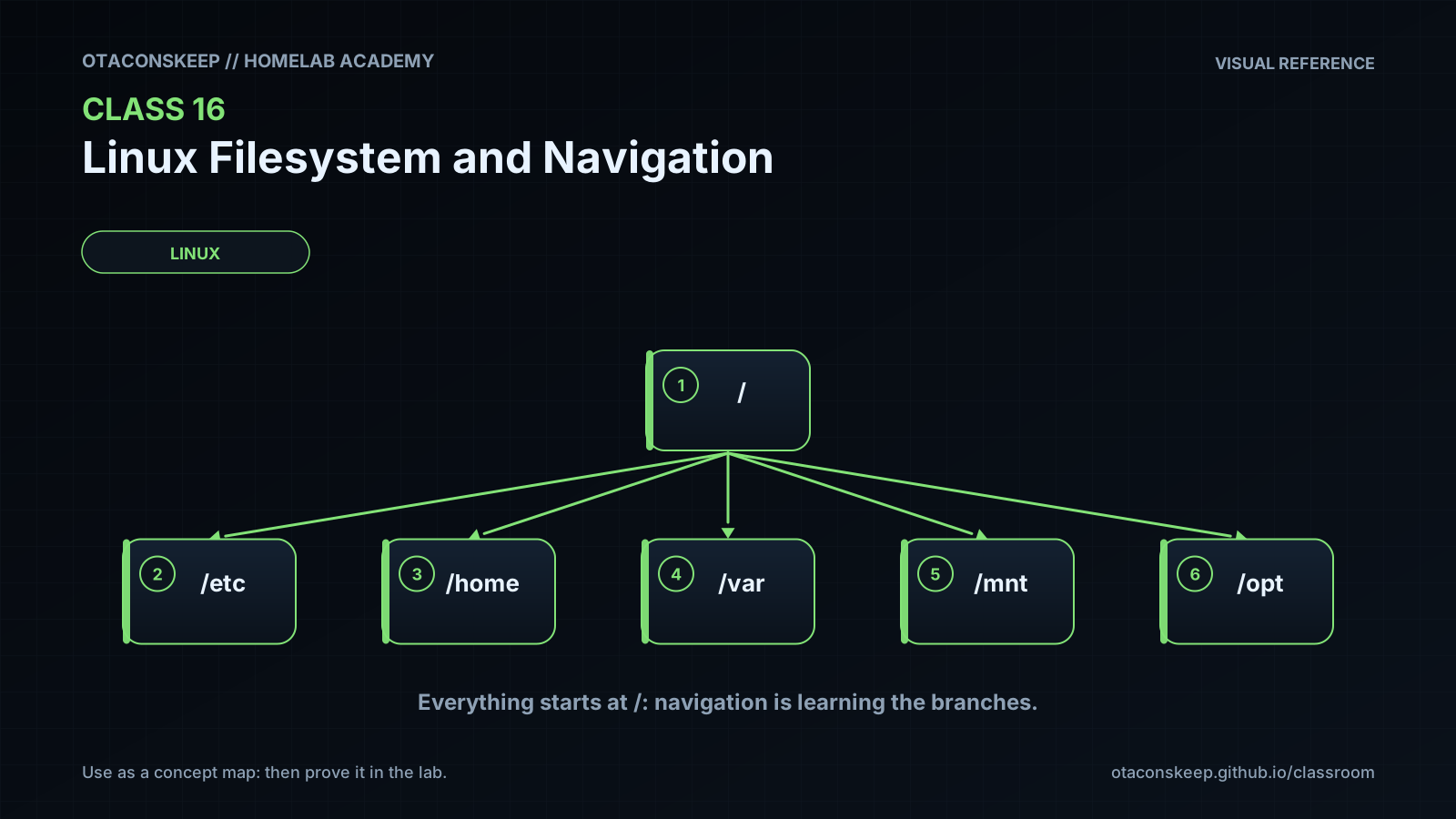
Linux presents files through one unified directory tree beginning at the root directory, written as /. Unlike systems that expose separate drive letters, Linux normally attaches additional filesystems at directories called mount points. Common top-level locations include /etc for host configuration, /home for ordinary users' home directories, /var for changing application data, /usr for installed programs and shareable data, /run for runtime state, /tmp for temporary data, and /opt for optional or locally managed software and lab content. These are conventions described by the Filesystem Hierarchy Standard, but actual layouts can vary by distribution and deployment.
Every shell process has a current working directory. The pwd command reports it, and cd changes it. An absolute path starts with / and does not depend on the current working directory. A relative path does not start with / and is interpreted from the current working directory. The component . means the current directory, while .. means the parent directory. The shell commonly expands ~ to the current user's home directory before running a command. Because relative paths depend on context, administrators should check pwd and inspect a destination before performing a mutating operation.
A path is a sequence of directory-entry names separated by forward slashes. Directories map names to inodes. An inode stores metadata such as object type, owner, permissions, timestamps, size, and references to file data. A regular filename is therefore a directory entry pointing to an inode. A hard link creates another name for the same inode, so both names initially expose the same data and share an inode number. Removing one hard-link name does not remove the inode while another link still refers to it. A symbolic link is different: it is its own filesystem object containing a pathname. It may cross filesystem boundaries and may become dangling if its target is moved or removed.
The ls command displays directory entries, while options such as -a and -l reveal hidden names and long-format metadata. Long listings are useful, but scripts should not parse their human-oriented output when a dedicated interface such as stat or find is available. stat reports detailed metadata; file examines content or identifying characteristics; readlink displays a symbolic link's stored target; namei walks through pathname components; and find recursively selects entries according to explicit conditions. Quoting variable expansions and paths prevents whitespace or wildcard characters from being interpreted unexpectedly. Tab completion, read-only inspection, and deliberate use of absolute lab paths reduce mistakes. Hidden files are not inherently protected, file extensions do not determine Linux file type, and filesystem permissions must be evaluated together with directory permissions, ownership, process identity, mount options, and access-control systems.
Architecture
conceptual_flow
A shell process holds a current working directory.
The shell expands syntax such as variables and the home-directory shortcut.
The kernel resolves each pathname component through directories.
Directory entries map names to inodes.
Inodes describe object metadata and reference file data.
Mount points can transition pathname resolution into another filesystem.
lab_tree
/opt/lab-classroom/class16/
/opt/lab-classroom/class16/.lab-note
/opt/lab-classroom/class16/projects/
/opt/lab-classroom/class16/projects/app/
/opt/lab-classroom/class16/projects/app/README.txt
/opt/lab-classroom/class16/projects/app/README.hard
/opt/lab-classroom/class16/projects/app/config/
/opt/lab-classroom/class16/projects/app/config/README.link
/opt/lab-classroom/class16/projects/app/data/
/opt/lab-classroom/class16/projects/app/data/inventory.csv
/opt/lab-classroom/class16/archive/
path_resolution_example
From /opt/lab-classroom/class16/projects/app/config, the relative path ../README.txt resolves to /opt/lab-classroom/class16/projects/app/README.txt.
Required reading
- Filesystem Hierarchy Standard 3.0: https://refspecs.linuxfoundation.org/FHS_3.0/fhs/index.html
- GNU Coreutils manual, ls invocation: https://www.gnu.org/software/coreutils/manual/html_node/ls-invocation.html
- GNU Coreutils manual, stat invocation: https://www.gnu.org/software/coreutils/manual/html_node/stat-invocation.html
- Linux man-pages, path_resolution(7): https://man7.org/linux/man-pages/man7/path_resolution.7.html
- Linux man-pages, inode(7): https://man7.org/linux/man-pages/man7/inode.7.html
References
- Filesystem Hierarchy Standard 3.0: https://refspecs.linuxfoundation.org/FHS_3.0/fhs/index.html
- GNU Coreutils manual: https://www.gnu.org/software/coreutils/manual/
- Linux man-pages, path_resolution(7): https://man7.org/linux/man-pages/man7/path_resolution.7.html
- Linux man-pages, inode(7): https://man7.org/linux/man-pages/man7/inode.7.html
- Linux man-pages, symlink(7): https://man7.org/linux/man-pages/man7/symlink.7.html
- Linux man-pages, hier(7): https://man7.org/linux/man-pages/man7/hier.7.html
- Linux man-pages, find(1): https://man7.org/linux/man-pages/man1/find.1.html
- Linux man-pages, namei(1): https://man7.org/linux/man-pages/man1/namei.1.html