Overview
Module: Linux Foundations
Activity type: Reading (Learn)
Objective: Identify file descriptors 0, 1, and 2 as standard input, standard output, and standard error
Vocabulary
| Term | Meaning |
|---|---|
| standard input | File descriptor 0, commonly abbreviated stdin. It is the default stream from which a command reads input. |
| standard output | File descriptor 1, commonly abbreviated stdout. It is the default stream used for normal command results. |
| standard error | File descriptor 2, commonly abbreviated stderr. It is the default stream used for diagnostics and error messages. |
| pipe | A shell connection written as |
| redirection | A shell operation that changes where a command reads input or sends output. |
| truncate | To reduce an existing file to zero length before writing new content. The > operator normally has this effect. |
| append | To write new data after the existing contents of a file. The >> operator performs output redirection in append mode. |
| file descriptor | A small integer used by a process to refer to an open input or output resource. |
| tee | A command that copies standard input to standard output and to one or more files. |
| pipefail | A Bash option that makes a pipeline return a failure status when a command in the pipeline fails, rather than considering only the final command. |
Instruction
A shell command normally begins with three open data streams. Standard input is file descriptor 0, standard output is file descriptor 1, and standard error is file descriptor 2. When a terminal launches a command, all three are generally connected to that terminal. This is why typed input reaches an interactive program and why both ordinary output and errors appear on the screen.
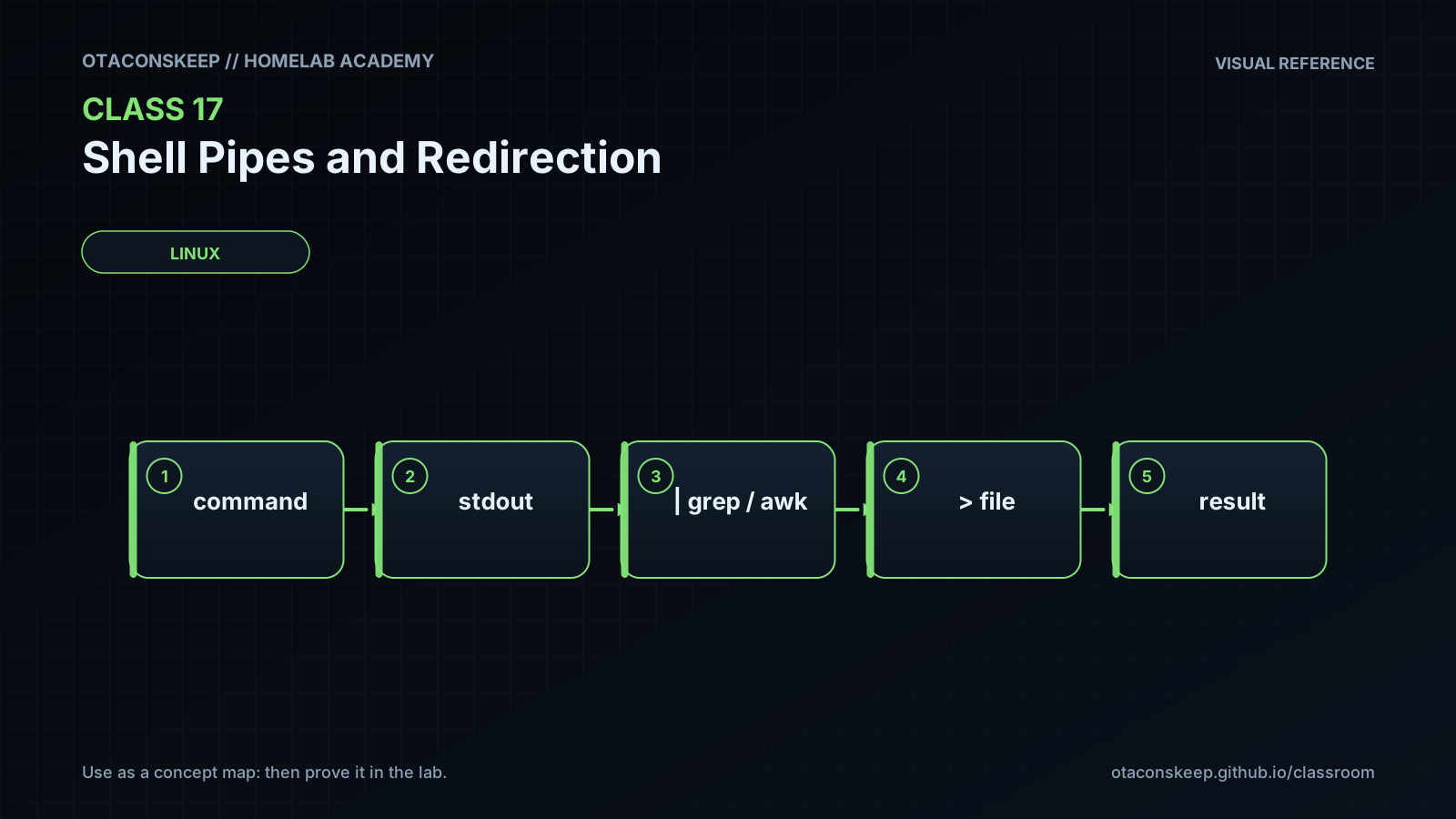
A pipeline changes that arrangement. In command_a | command_b, the shell connects command_a's standard output to command_b's standard input. The commands usually run concurrently, and the kernel buffers data between them. The pipe carries stdout only; stderr from command_a still goes to its existing destination unless it is redirected separately. Pipelines are best understood as data-flow graphs rather than as temporary files. Each stage should perform one clear transformation, such as selecting records, sorting them, counting duplicates, or formatting output.
Output redirection with > replaces a destination file's previous contents. For example, printf 'new\n' > file sends stdout into file and truncates an existing file first. Appending with >> preserves the old contents and writes at the end. Input redirection with < makes a file become a command's stdin. Thus wc -l < file prints only a count, while wc -l file commonly includes the filename because the file was supplied as an argument rather than through stdin.
Standard error is independent from standard output. The expression 2> errors.log redirects descriptor 2 while leaving descriptor 1 unchanged. The expression > combined.log 2>&1 first redirects stdout to combined.log and then makes stderr point to the same destination currently used by stdout. Redirections are processed from left to right. Reversing the order to 2>&1 > combined.log first copies the original stdout destination to stderr and only afterward moves stdout to the file; as a result, stderr may remain on the terminal. The compact Bash form &> file also combines both streams, but the longer > file 2>&1 form exposes the descriptor logic and is more portable across commonly encountered shells.
The tee command is useful when data must be preserved while continuing through a pipeline. In producer | tee saved.txt | consumer, tee writes a copy to saved.txt and passes the same data to consumer through stdout. Without an option, tee replaces the file; tee -a appends. Remember that redirection is performed by the shell before the command starts. This explains why elevating only a command does not automatically elevate the shell operation that opens a protected redirection target.
Exit status is another important distinction. By default, Bash reports a pipeline's status as the status of its final command. An earlier command can fail while a later command exits successfully. In Bash, set -o pipefail changes the pipeline status so that a failure in an earlier stage is not silently hidden. Scripts should also quote variable expansions, use explicit paths, validate output, and avoid assuming that an empty result means success. Before using >, confirm the destination because truncation occurs before the command produces output. For interactive protection, Bash's set -o noclobber can prevent ordinary > redirection from replacing an existing regular file, although scripts must not assume users have enabled it.
Architecture
stream_model
Keyboard or input file -> file descriptor 0 -> command
Command normal results -> file descriptor 1 -> terminal, file, or next pipeline stage
Command diagnostics -> file descriptor 2 -> terminal or explicitly selected destination
pipeline_model
producer stdout -> pipe buffer -> consumer stdin
lab_scope
/opt/lab-classroom/class17/
key_rule
A pipe transports stdout by default; stderr remains separate unless the command or shell explicitly redirects it.
Required reading
- Bash Reference Manual, Redirections: https://www.gnu.org/software/bash/manual/html_node/Redirections.html
- Bash Reference Manual, Pipelines: https://www.gnu.org/software/bash/manual/html_node/Pipelines.html
- Linux man-pages project, pipe(7): https://man7.org/linux/man-pages/man7/pipe.7.html
- GNU Coreutils manual, tee invocation: https://www.gnu.org/software/coreutils/manual/html_node/tee-invocation.html
References
- GNU Bash Manual, Pipelines: https://www.gnu.org/software/bash/manual/html_node/Pipelines.html
- GNU Bash Manual, Redirections: https://www.gnu.org/software/bash/manual/html_node/Redirections.html
- GNU Bash Manual, The Set Builtin: https://www.gnu.org/software/bash/manual/html_node/The-Set-Builtin.html
- GNU Coreutils Manual, tee: https://www.gnu.org/software/coreutils/manual/html_node/tee-invocation.html
- GNU Coreutils Manual, wc: https://www.gnu.org/software/coreutils/manual/html_node/wc-invocation.html
- GNU Coreutils Manual, sort: https://www.gnu.org/software/coreutils/manual/html_node/sort-invocation.html
- GNU Coreutils Manual, uniq: https://www.gnu.org/software/coreutils/manual/html_node/uniq-invocation.html
- Linux man-pages project, pipe(7): https://man7.org/linux/man-pages/man7/pipe.7.html