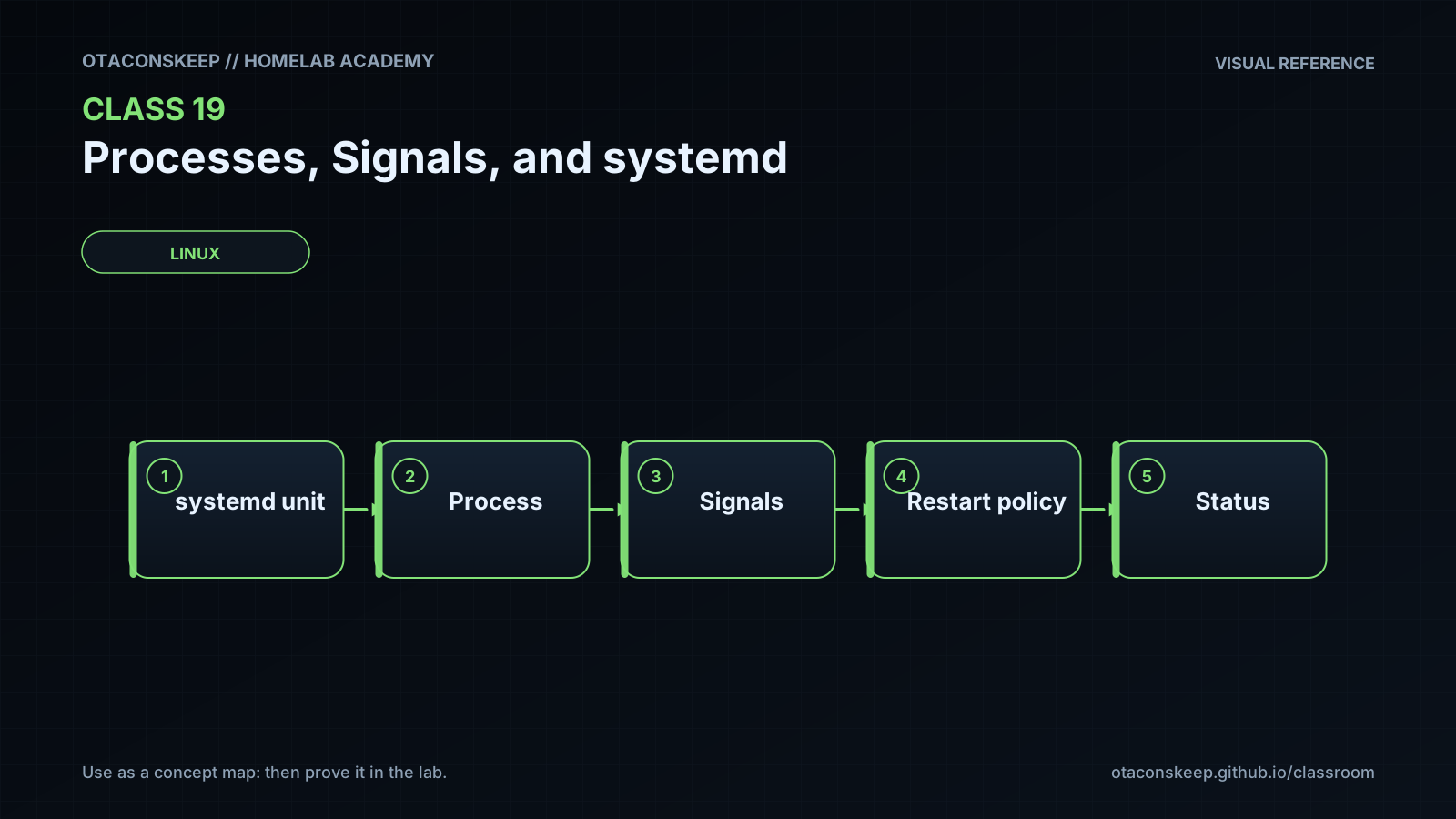
Overview
Module: Linux Foundations
Activity type: Lab (Practice)
Lab risk: medium
Objective: Distinguish programs, processes, threads, jobs, services, and systemd units
Before you start
- Comfort using a Linux shell and basic command-line utilities
- Ability to use sudo for creating the class laboratory directory
- Basic understanding of files, users, permissions, and shell scripts
- A Linux host or virtual machine using systemd as PID 1
- Completion of introductory Linux filesystem and shell classes
Guided lab
name
Observe and control a verified lab process
scope
Only the lab-owned worker process may be signaled. Persistent filesystem changes are limited to /opt/lab-classroom/class19/.
steps
step
1
instruction
Create the approved laboratory directory and assign it to the current user. Verify the resolved path before continuing.
commands
export LAB=/opt/lab-classroom/class19
sudo install -d -o "$(id -u)" -g "$(id -g)" -m 0750 "$LAB"
test "$(realpath "$LAB")" = "/opt/lab-classroom/class19"
printf 'Laboratory path: %s\n' "$(realpath "$LAB")"
step
2
instruction
Create a worker that records its PID, reports SIGHUP, exits cleanly on SIGTERM or SIGINT, and writes a periodic heartbeat.
commands
cat > "$LAB/worker.sh" <<'EOF'
!/usr/bin/env bash
set -u
LAB=/opt/lab-classroom/class19
printf '%s\n' "$$" > "$LAB/worker.pid"
trap 'printf "%s received SIGHUP\n" "$(date --iso-8601=seconds)" >> "$LAB/events.log"' HUP
trap 'printf "%s received termination request\n" "$(date --iso-8601=seconds)" >> "$LAB/events.log"; exit 0' TERM INT
printf '%s started PID=%s PPID=%s\n' "$(date --iso-8601=seconds)" "$$" "$PPID" >> "$LAB/events.log"
while :; do
printf '%s heartbeat PID=%s\n' "$(date --iso-8601=seconds)" "$$" >> "$LAB/heartbeat.log"
sleep 2
done
EOF
chmod u=rwx,go= "$LAB/worker.sh"
: > "$LAB/events.log"
: > "$LAB/heartbeat.log"
step
3
instruction
Start the worker in the background, save the shell-reported PID, and confirm that it matches the PID written by the worker.
commands
"$LAB/worker.sh" > "$LAB/stdout.log" 2> "$LAB/stderr.log" &
printf '%s\n' "$!" > "$LAB/launcher.pid"
sleep 1
test "$(cat "$LAB/launcher.pid")" = "$(cat "$LAB/worker.pid")"
PID=$(cat "$LAB/worker.pid"); ps -o pid=,ppid=,user=,stat=,etime=,args= -p "$PID"
step
4
instruction
Inspect the process using both ps and its proc directory. These observations are snapshots and may change immediately.
commands
PID=$(cat "$LAB/worker.pid"); test -d "/proc/$PID"
PID=$(cat "$LAB/worker.pid"); ps -o pid,ppid,user,stat,lstart,etime,args -p "$PID"
PID=$(cat "$LAB/worker.pid"); printf 'Executable: '; readlink "/proc/$PID/exe"
PID=$(cat "$LAB/worker.pid"); printf 'Command line: '; tr '\0' ' ' < "/proc/$PID/cmdline"; printf '\n'
PID=$(cat "$LAB/worker.pid"); grep -E '^(Name|State|Pid|PPid|Uid|Gid):' "/proc/$PID/status"
step
5
instruction
Verify identity, send SIGHUP, and confirm that the process handled it without exiting.
commands
PID=$(cat "$LAB/worker.pid"); ps -o pid=,user=,args= -p "$PID"
PID=$(cat "$LAB/worker.pid"); kill -HUP "$PID"
sleep 3
PID=$(cat "$LAB/worker.pid"); ps -o pid=,stat=,args= -p "$PID"
tail -n 5 "$LAB/events.log"
step
6
instruction
Suspend and resume the verified worker. A stopped state is normally represented by T in the ps STAT column.
commands
PID=$(cat "$LAB/worker.pid"); ps -o pid=,user=,args= -p "$PID"
PID=$(cat "$LAB/worker.pid"); kill -STOP "$PID"
sleep 1
PID=$(cat "$LAB/worker.pid"); ps -o pid=,stat=,args= -p "$PID"
PID=$(cat "$LAB/worker.pid"); kill -CONT "$PID"
sleep 3
PID=$(cat "$LAB/worker.pid"); ps -o pid=,stat=,args= -p "$PID"
tail -n 3 "$LAB/heartbeat.log"
step
7
instruction
Request an orderly shutdown with SIGTERM and confirm the worker recorded its cleanup path.
commands
PID=$(cat "$LAB/worker.pid"); ps -o pid=,user=,args= -p "$PID"
PID=$(cat "$LAB/worker.pid"); kill -TERM "$PID"
PID=$(cat "$LAB/worker.pid"); for attempt in 1 2 3 4 5; do kill -0 "$PID" 2>/dev/null || break; sleep 1; done
PID=$(cat "$LAB/worker.pid"); if kill -0 "$PID" 2>/dev/null; then printf 'Worker is still present; investigate before escalating.\n'; else printf 'Worker exited.\n'; fi
tail -n 5 "$LAB/events.log"
step
8
instruction
Start a fresh worker solely to compare SIGKILL with orderly termination. Verify its identity immediately before signaling it. The process cannot record a SIGKILL handler because SIGKILL is not catchable.
commands
"$LAB/worker.sh" > "$LAB/stdout-kill.log" 2> "$LAB/stderr-kill.log" &
printf '%s\n' "$!" > "$LAB/kill-demo.pid"
sleep 1
PID=$(cat "$LAB/kill-demo.pid"); ps -o pid=,user=,args= -p "$PID"
PID=$(cat "$LAB/kill-demo.pid"); kill -KILL "$PID"
PID=$(cat "$LAB/kill-demo.pid"); wait "$PID" 2>/dev/null || true
PID=$(cat "$LAB/kill-demo.pid"); if kill -0 "$PID" 2>/dev/null; then printf 'Unexpected: process remains.\n'; else printf 'SIGKILL demonstration process is gone.\n'; fi
tail -n 5 "$LAB/events.log"
step
9
instruction
Inspect one currently running systemd service without changing it. Skip this step if the environment does not use systemd as PID 1.
commands
test "$(ps -p 1 -o comm=)" = "systemd" && printf 'systemd is PID 1.\n' || printf 'This environment does not expose systemd as PID 1.\n'
UNIT=$(systemctl list-units --type=service --state=running --no-legend --no-pager | awk 'NR==1 {print $1}'); printf 'Selected unit: %s\n' "$UNIT"
UNIT=$(systemctl list-units --type=service --state=running --no-legend --no-pager | awk 'NR==1 {print $1}'); test -n "$UNIT" && systemctl show "$UNIT" --property=Id,LoadState,ActiveState,SubState,MainPID,ControlGroup,FragmentPath --no-pager
UNIT=$(systemctl list-units --type=service --state=running --no-legend --no-pager | awk 'NR==1 {print $1}'); test -n "$UNIT" && systemctl status "$UNIT" --no-pager --lines=5
Expected results
- The laboratory directory resolves exactly to /opt/lab-classroom/class19.
- The worker's PID file and the launching shell's recorded PID contain the same value.
- ps and /proc expose the worker's PID, parent, owner, state, and command line.
- After SIGHUP, the worker remains present and events.log contains a SIGHUP entry.
- After SIGSTOP, ps reports a stopped state containing T; after SIGCONT, heartbeat entries resume.
- After SIGTERM, the first worker exits and events.log contains a termination-request entry.
- After SIGKILL, the demonstration worker exits without writing a signal-handler message for SIGKILL.
- On a systemd host, systemctl show reports properties for an existing running service without changing its state.
Verification
- [ ] Run: test "$(realpath /opt/lab-classroom/class19)" = "/opt/lab-classroom/class19" && echo PASS
- [ ] Run: grep -q 'received SIGHUP' /opt/lab-classroom/class19/events.log && echo PASS
- [ ] Run: grep -q 'received termination request' /opt/lab-classroom/class19/events.log && echo PASS
- [ ] Run: test -s /opt/lab-classroom/class19/heartbeat.log && echo PASS
- [ ] Run: PID=$(cat /opt/lab-classroom/class19/kill-demo.pid); ! kill -0 "$PID" 2>/dev/null && echo PASS
- [ ] On a systemd host, run: systemctl is-system-running --wait; note that degraded can be a valid existing host condition and is not caused by this read-only lab.
- [ ] Confirm that no systemd unit was started, stopped, restarted, enabled, disabled, or edited during the exercise.
Break/fix
| Symptom | Likely cause | Fix |
|---|---|---|
| Creating /opt/lab-classroom/class19 fails with permission denied. | The current account cannot create directories under /opt or does not have authorized sudo access. | Use an account authorized for the lab host and run only the provided install command with sudo. Do not redirect privileged output to another location. |
| The launcher PID and worker PID do not match. | The worker exited early, the wrong file was read, or an earlier lab instance left stale files. | Inspect stdout.log, stderr.log, and events.log. Confirm no previous lab worker remains, then recreate the files and start one worker. |
| SIGHUP does not appear in events.log immediately. | Bash may process the trap after the current external sleep command returns. | Wait at least three seconds, verify the process still has the expected command line, and inspect events.log again. |
| The process remains briefly after SIGTERM. | The shell is waiting for its current sleep child before running the trap, or the inspected PID no longer represents the intended worker. | Wait through the bounded verification loop and inspect the PID's owner and command line again. Do not escalate until identity has been revalidated. |
| ps reports no process for the PID in worker.pid. | The worker has already exited or failed during startup. | Inspect stderr.log and events.log, correct any local script error, and restart only the lab worker. |
| systemctl reports that the system was not booted with systemd. | The lesson is running in a container, subsystem, chroot, or distribution that does not expose systemd as PID 1. | Complete the process and signal sections, then perform the systemd inspection on a virtual machine or host where systemd is PID 1. |
| No running service is selected for inspection. | The system manager is unavailable or there are no visible running service units in the environment. | Verify that PID 1 is systemd and that the account may query the system manager. Do not start a service solely to satisfy this lab. |
| systemctl status returns a nonzero result even though systemctl show produced output. | The unit changed state between queries or its current state maps to a nonzero status result. | Treat the commands as separate snapshots. Re-run the read-only list and show queries and record the observed state. |
Security
principles
Verify process identity, owner, and command line immediately before sending a signal.
Treat PID files as hints rather than durable identity because PIDs can be reused.
Signal only processes created for the lab; never experiment on authentication, storage, networking, monitoring, or orchestration services.
Prefer SIGTERM and bounded waiting so applications have an opportunity to clean up.
Reserve SIGKILL for confirmed, unresponsive processes after the consequences are understood.
Do not use elevated privileges to signal a process merely because normal permission checks denied the request.
Use systemctl show for script-friendly inspection and remember that status output is intended primarily for humans.
Consider cgroup membership when diagnosing services with multiple processes.
systemd_notes
Production service actions can interrupt dependent applications and trigger restart policies. This class intentionally performs only read operations against systemd. Service changes should be reviewed separately with dependency analysis, maintenance planning, log monitoring, and a tested rollback procedure.
data_boundary
All persistent lab artifacts are confined to /opt/lab-classroom/class19/. The lab reads process and unit metadata from the operating system but does not modify service definitions or other persistent host paths.
Rollback
process_cleanup
Check whether a recorded PID still exists and verify that its command line points to /opt/lab-classroom/class19/worker.sh.
Send SIGTERM only to a verified surviving lab worker and wait for it to exit.
If a verified lab worker remains unresponsive, review the controlled SIGKILL warning before escalation.
artifact_cleanup
Set the exact path with: export LAB=/opt/lab-classroom/class19
Verify it with: test "$(realpath "$LAB")" = "/opt/lab-classroom/class19"
After preserving any desired notes, remove generated entries only with: find "$LAB" -mindepth 1 -maxdepth 1 -delete
Leave the class19 directory itself in place for later lessons unless the lab administrator directs otherwise.
systemd_rollback
No systemd rollback is required because the lab performs no systemd mutation.