Overview
Module: Network Operations
Activity type: Reading (Learn)
Objective: Apply a layered troubleshooting workflow from local state through application response
Vocabulary
| Term | Meaning |
|---|---|
| symptom | An observed failure or unexpected behavior, such as a timeout, refused connection, or incorrect response. |
| hypothesis | A specific, testable explanation for a symptom. |
| loopback | A host-local network interface and address range used to communicate with services on the same system. |
| socket | An operating-system endpoint identified by protocol, local address, and local port, with optional remote endpoint information. |
| listener | A process waiting for incoming transport connections on a particular address and port. |
| route | A rule used by the operating system to choose an outgoing interface, next hop, and source address for a destination. |
| resolver | The software path that converts names into addresses using sources such as local host records or DNS. |
| connection refused | A transport-level response commonly indicating that the destination host was reached but no service accepted the connection on that address and port. |
| timeout | A failure in which the expected response did not arrive before a configured deadline; it does not by itself identify where packets were lost. |
| bind address | The local address on which a service accepts traffic, such as 127.0.0.1 for host-local access or a non-loopback address for access through an external interface. |
| application-layer response | A protocol-specific result, such as an HTTP status line and response body, proving more than basic port reachability. |
Instruction
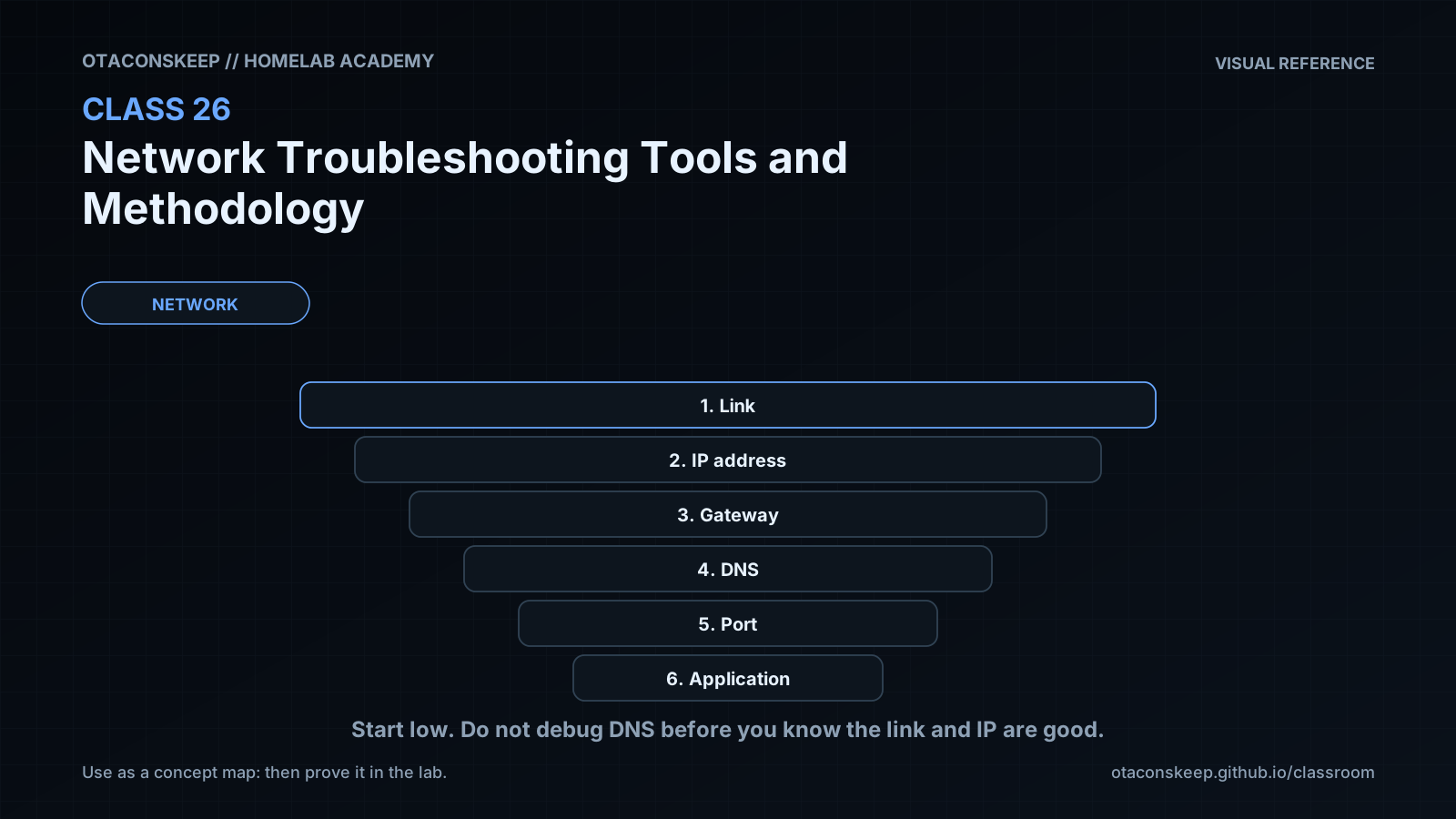
Effective network troubleshooting is a process of reducing uncertainty, not a process of trying random fixes. Begin by recording the exact symptom, the source host, the intended destination, the protocol, the port, the time, and what success should look like. A statement such as “the network is down” is too broad. A statement such as “an HTTP request from this host to 127.0.0.1 port 18081 is refused immediately” is testable.
Work through the path in layers. First confirm local interface state and addressing with ip address. Next ask the kernel how it would reach the destination with ip route get DESTINATION; this is usually more useful than merely reading the entire route table because it reveals the selected interface and source address. If a hostname is involved, test resolution separately with getent ahosts NAME. This follows the host's configured name-service path and helps distinguish name lookup from packet delivery. A name resolving successfully does not prove that an application is available, and a successful ping does not prove that a TCP port is open.
At the transport layer, identify whether a service is actually listening with ss -lntp. Address scope matters: a process bound only to 127.0.0.1 can be reached locally but not through a different host interface. A process may also be healthy on one port while the client is configured for another. An immediate “connection refused” is evidence that the destination stack was reached and rejected the connection or had no matching listener. A timeout is less specific; possible causes include packet loss, an incorrect route, an unavailable destination, or silent policy filtering. Preserve that distinction instead of treating every failure as the same condition.
Finally, test the application protocol. curl -v exposes address selection, connection attempts, request headers, response headers, and application status. A completed TCP connection followed by an HTTP 404 is not a basic connectivity failure: the network path and web service worked, but the requested resource was absent. Likewise, an HTTP 500 indicates that the request reached the application even though the application failed internally. Use bounded tests such as --connect-timeout and --max-time so a diagnostic command cannot wait indefinitely.
A disciplined cycle is: observe, scope, hypothesize, test one variable, compare the result with the prediction, and record the conclusion. Prefer read-only inspection before changing anything. Do not restart unrelated services or alter host networking merely because a client failed. Changes can erase evidence and create a second problem. In this lab, the deliberately wrong port produces a transport failure, while the correct port produces an HTTP success. The contrast demonstrates how listener inspection and client output can locate a fault without changing system-wide network configuration.
Architecture
diagnostic_path
Client command constructs an HTTP request
A literal loopback address avoids external name-service dependencies during the primary test
The kernel performs a route lookup and selects the loopback interface
TCP attempts to connect to the selected destination port
A Python process listens only on 127.0.0.1:18080
The HTTP server reads health.txt from /opt/lab-classroom/class26/site/
Server output is redirected to /opt/lab-classroom/class26/server.log
fault_model
Port 18081 is intentionally unused, while port 18080 is the known-good listener. Comparing the two requests isolates a destination-port mismatch.
scope_boundary
All persistent files and directory metadata created or modified by the lab are confined to /opt/lab-classroom/class26/. No host network configuration is changed.
evidence_flow
ip address establishes local interface state; ip route get establishes path selection; getent establishes name-resolution behavior; ss establishes listener state; curl establishes transport and HTTP behavior; the server log confirms that the application received the successful request.
Required reading
- Linux ip-address manual: https://man7.org/linux/man-pages/man8/ip-address.8.html
- Linux ip-route manual: https://man7.org/linux/man-pages/man8/ip-route.8.html
- Linux ss manual: https://man7.org/linux/man-pages/man8/ss.8.html
- curl command-line documentation: https://curl.se/docs/manpage.html
- RFC 1122, Requirements for Internet Hosts: Communication Layers: https://www.rfc-editor.org/rfc/rfc1122
References
- Linux ip-address manual: https://man7.org/linux/man-pages/man8/ip-address.8.html
- Linux ip-route manual: https://man7.org/linux/man-pages/man8/ip-route.8.html
- Linux ss manual: https://man7.org/linux/man-pages/man8/ss.8.html
- curl manual: https://curl.se/docs/manpage.html
- GNU C Library host-name lookup documentation: https://www.gnu.org/software/libc/manual/html_node/Host-Names.html
- Python http.server documentation: https://docs.python.org/3/library/http.server.html
- RFC 1122, Requirements for Internet Hosts: Communication Layers: https://www.rfc-editor.org/rfc/rfc1122
- RFC 9293, Transmission Control Protocol: https://www.rfc-editor.org/rfc/rfc9293
- RFC 9110, HTTP Semantics: https://www.rfc-editor.org/rfc/rfc9110