Overview
Module: ARR Data Model & Compose
Activity type: Lab (Practice)
Lab risk: low
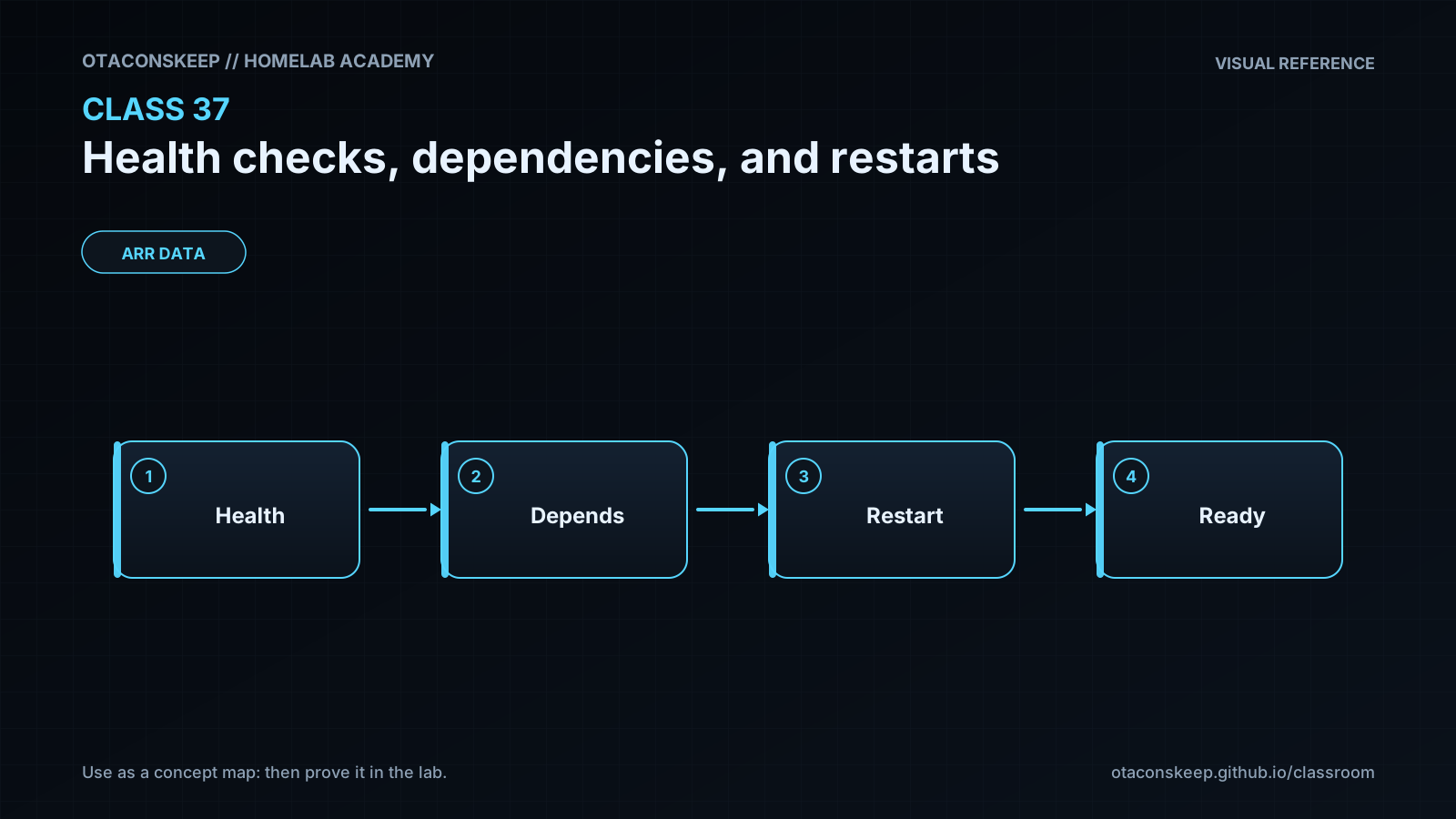
Objective: Explain why a running process is not necessarily a healthy or ready service
Before you start
- Comfort using a Linux shell and reading process logs
- Basic understanding of TCP ports, HTTP status codes, and local services
- Ability to run Python 3 from a terminal
- Write access to /opt/lab-classroom/class37/
- Completion of earlier service-management or container fundamentals lessons is recommended
Guided lab
name
Observe readiness gating and a controlled on-failure restart
environment_notes
Run the commands from a shell with Python 3 available.
Ports 18370 and 18371 must be unused on the local machine.
Do not change ROOT in the scripts; the fixed path enforces the lab boundary.
The lab creates local processes rather than system services or containers.
steps
step
1
title
Create the isolated lab directory
commands
mkdir -p /opt/lab-classroom/class37
cd /opt/lab-classroom/class37
pwd
explanation
The printed working directory must be /opt/lab-classroom/class37. All subsequent generated files and logs remain under this directory.
step
2
title
Create a dependency with distinct liveness and readiness behavior
commands
cat > /opt/lab-classroom/class37/dependency.py <<'PY'
import json
import time
from http.server import BaseHTTPRequestHandler, ThreadingHTTPServer
STARTED = time.monotonic()
READY_AFTER = 8.0
class Handler(BaseHTTPRequestHandler):
def reply(self, status, payload):
body = json.dumps(payload).encode()
self.send_response(status)
self.send_header('Content-Type', 'application/json')
self.send_header('Content-Length', str(len(body)))
self.end_headers()
self.wfile.write(body)
def do_GET(self):
    age = time.monotonic() - STARTED
    if self.path == '/live':
        self.reply(200, {'live': True, 'age_seconds': round(age, 2)})
    elif self.path == '/ready':
        ready = age >= READY_AFTER
        self.reply(200 if ready else 503, {'ready': ready, 'age_seconds': round(age, 2)})
    else:
        self.reply(404, {'error': 'not found'})

def log_message(self, format, *args):
    print('dependency:', format % args, flush=True)
ThreadingHTTPServer(('127.0.0.1', 18370), Handler).serve_forever()
PY
explanation
The dependency becomes live as soon as it can answer HTTP, but deliberately remains unready for its first eight seconds.
step
3
title
Create an application whose readiness includes a bounded dependency check
commands
cat > /opt/lab-classroom/class37/application.py <<'PY'
import json
import os
import time
import urllib.error
import urllib.request
from http.server import BaseHTTPRequestHandler, ThreadingHTTPServer
STARTED = time.monotonic()
class Handler(BaseHTTPRequestHandler):
def reply(self, status, payload):
body = json.dumps(payload).encode()
self.send_response(status)
self.send_header('Content-Type', 'application/json')
self.send_header('Content-Length', str(len(body)))
self.end_headers()
self.wfile.write(body)
def dependency_ready(self):
    try:
        with urllib.request.urlopen('http://127.0.0.1:18370/ready', timeout=0.5) as response:
            return response.status == 200
    except (urllib.error.URLError, TimeoutError):
        return False

def do_GET(self):
    if self.path == '/live':
        self.reply(200, {'live': True, 'pid': os.getpid()})
    elif self.path == '/ready':
        ready = self.dependency_ready()
        self.reply(200 if ready else 503, {'ready': ready, 'pid': os.getpid()})
    elif self.path == '/crash':
        self.reply(200, {'message': 'controlled failure requested', 'pid': os.getpid()})
        self.wfile.flush()
        os._exit(17)
    else:
        self.reply(404, {'error': 'not found'})

def log_message(self, format, *args):
    print('application:', format % args, flush=True)
ThreadingHTTPServer(('127.0.0.1', 18371), Handler).serve_forever()
PY
explanation
The readiness request has a 0.5-second timeout. A missing, slow, or unready dependency produces HTTP 503 without declaring the application process dead.
step
4
title
Create a supervisor with readiness gating and a restart delay
commands
cat > /opt/lab-classroom/class37/supervisor.py <<'PY'
import os
import signal
import subprocess
import sys
import time
import urllib.error
import urllib.request
ROOT = '/opt/lab-classroom/class37'
RUNNING = True
children = {}
def record(message):
print(time.strftime('%Y-%m-%dT%H:%M:%S'), message, flush=True)
def start(name, script, log_name):
log_path = os.path.join(ROOT, log_name)
log = open(log_path, 'ab', buffering=0)
process = subprocess.Popen(
[sys.executable, '-B', os.path.join(ROOT, script)],
cwd=ROOT,
stdout=log,
stderr=subprocess.STDOUT
)
children[name] = (process, log)
record(f'started {name} pid={process.pid}')
return process
def wait_for_dependency(timeout=30):
deadline = time.monotonic() + timeout
while RUNNING and time.monotonic() < deadline:
try:
with urllib.request.urlopen('http://127.0.0.1:18370/ready', timeout=0.5) as response:
if response.status == 200:
record('dependency is ready')
return True
except (urllib.error.URLError, TimeoutError):
pass
record('dependency not ready; retrying in 1 second')
time.sleep(1)
return False
def stop_all(signum=None, frame=None):
global RUNNING
RUNNING = False
record('shutdown requested')
signal.signal(signal.SIGTERM, stop_all)
signal.signal(signal.SIGINT, stop_all)
dependency = start('dependency', 'dependency.py', 'dependency.log')
application = None
if wait_for_dependency():
application = start('application', 'application.py', 'application.log')
else:
record('dependency readiness deadline exceeded; application not started')
try:
while RUNNING:
if dependency.poll() is not None:
record(f'dependency exited status={dependency.returncode}; restarting in 2 seconds')
time.sleep(2)
dependency = start('dependency', 'dependency.py', 'dependency.log')
if application is not None and application.poll() is not None:
status = application.returncode
record(f'application exited status={status}')
if status != 0:
record('on-failure policy selected; restarting application in 2 seconds')
time.sleep(2)
application = start('application', 'application.py', 'application.log')
else:
record('clean application exit; no restart')
application = None
time.sleep(0.5)
finally:
for name, item in list(children.items()):
process, log = item
if process.poll() is None:
process.terminate()
deadline = time.monotonic() + 5
for name, item in list(children.items()):
process, log = item
remaining = max(0.0, deadline - time.monotonic())
try:
process.wait(timeout=remaining)
except subprocess.TimeoutExpired:
process.kill()
process.wait()
log.close()
record('supervisor stopped')
PY
explanation
The supervisor starts the dependency first, polls readiness with a deadline, and only then starts the application. A failed application receives a two-second delay before restart.
step
5
title
Start the lab and observe dependency readiness gating
commands
cd /opt/lab-classroom/class37 && nohup python3 -B supervisor.py > supervisor.log 2>&1 & echo $! > /opt/lab-classroom/class37/supervisor.pid
sleep 2
cat /opt/lab-classroom/class37/supervisor.log
sleep 8
cat /opt/lab-classroom/class37/supervisor.log
explanation
The first log view should show readiness retries. The later view should show that the dependency became ready and that the application was then started.
step
6
title
Verify liveness and readiness
commands
python3 -B -c "import urllib.request; print(urllib.request.urlopen('http://127.0.0.1:18370/live', timeout=1).read().decode())"
python3 -B -c "import urllib.request; print(urllib.request.urlopen('http://127.0.0.1:18370/ready', timeout=1).read().decode())"
python3 -B -c "import urllib.request; print(urllib.request.urlopen('http://127.0.0.1:18371/live', timeout=1).read().decode())"
python3 -B -c "import urllib.request; print(urllib.request.urlopen('http://127.0.0.1:18371/ready', timeout=1).read().decode())"
explanation
All four requests should return JSON. The application readiness response proves both that the application can answer and that its dependency is ready.
step
7
title
Trigger a controlled failure and observe the restart policy
commands
python3 -B -c "import urllib.request; print(urllib.request.urlopen('http://127.0.0.1:18371/live', timeout=1).read().decode())"
python3 -B -c "import urllib.request; print(urllib.request.urlopen('http://127.0.0.1:18371/crash', timeout=1).read().decode())"
sleep 3
tail -n 12 /opt/lab-classroom/class37/supervisor.log
python3 -B -c "import urllib.request; print(urllib.request.urlopen('http://127.0.0.1:18371/live', timeout=1).read().decode())"
explanation
Compare the application PID before and after the failure. The replacement should have a different PID, and the supervisor log should contain exit status 17 followed by an on-failure restart message.
step
8
title
Stop the isolated lab
commands
kill "$(cat /opt/lab-classroom/class37/supervisor.pid)"
sleep 2
tail -n 8 /opt/lab-classroom/class37/supervisor.log
explanation
The supervisor handles the termination signal, stops its child processes, closes its logs, and records a final stopped message.
Expected results
- The supervisor log initially reports that the dependency is not ready and retries at one-second intervals.
- The application is not started until the dependency returns a successful readiness response.
- The dependency and application liveness endpoints return HTTP 200 while their processes can serve requests.
- The application readiness endpoint returns HTTP 200 when the dependency readiness endpoint is successful.
- Requesting the controlled crash endpoint causes the application to exit with status 17.
- The supervisor waits approximately two seconds and starts a replacement application process with a different PID.
- Stopping the supervisor also stops the child services and leaves the generated files only under /opt/lab-classroom/class37/.
Verification
- [ ] Run
cat /opt/lab-classroom/class37/supervisor.logand confirm that dependency readiness retries occur before the first application start message. - [ ] Run
python3 -B -c "import urllib.request; print(urllib.request.urlopen('http://127.0.0.1:18371/ready', timeout=1).status)"while the lab is running and confirm that it prints 200. - [ ] Record the PID returned by the application /live endpoint, invoke /crash, wait three seconds, and confirm that the new /live response contains a different PID.
- [ ] Confirm that supervisor.log includes
application exited status=17andon-failure policy selected. - [ ] After shutdown, run
python3 -B -c "import urllib.request; urllib.request.urlopen('http://127.0.0.1:18371/live', timeout=1)"and confirm that it fails to connect. - [ ] Run
find /opt/lab-classroom/class37 -maxdepth 1 -type f -printand confirm that the scripts, PID file, and logs are contained in the designated lab directory.
Break/fix
| Symptom | Likely cause | Fix |
|---|---|---|
| Python reports PermissionError while creating the lab directory or files. | The current account does not have write access to /opt/lab-classroom/. | Have the lab administrator pre-create /opt/lab-classroom/class37/ and grant the student account appropriate ownership. Do not redirect the exercise to an unapproved path. |
| The supervisor log shows Address already in use. | Another process is listening on port 18370 or 18371, or an earlier lab process is still running. | Check the recorded supervisor PID and stop that specific lab supervisor if it is still active. Do not terminate unrelated processes. If the PID is stale, ask the lab administrator to identify the listener before continuing. |
| The application never starts. | The dependency failed to bind, Python exited with a syntax error, or the readiness deadline expired. | Read supervisor.log and dependency.log. Correct only the files under /opt/lab-classroom/class37/, stop the current supervisor if present, and start the lab again. |
| The application readiness request returns HTTP 503. | The dependency is still initializing, unavailable, or returning an unsuccessful readiness result. | Query the dependency /live and /ready endpoints separately. Treat a live-but-unready dependency as an availability issue rather than immediately restarting the application. |
| The controlled crash request reports a disconnected or incomplete response. | The process exited before the client consumed the complete response body. | Inspect supervisor.log for exit status 17 and wait at least three seconds before querying /live again. The intended result is the process failure and supervised restart, not a guaranteed crash-response body. |
| The PID does not change after requesting /crash. | The request did not reach the application, the old PID was not recorded, or the restart had not completed. | Check application.log and supervisor.log, wait for the restart message, and then query /live again. |
| Repeated application restarts appear in the log. | The application has a persistent startup fault or cannot bind its port, so restarting cannot resolve the failure. | Stop the supervisor to break the loop, inspect application.log, correct the persistent cause, and restart only after verification. In production, add retry ceilings and alerting. |
| The shutdown command says there is no such process. | The supervisor already exited or supervisor.pid is stale. | Read supervisor.log for the final state. Verify the exact PID before taking any further action and do not issue broad process-kill commands. |
Security
principles
Health endpoints can reveal version, dependency, topology, and failure information. Expose only the minimum response required by the health consumer.
Bind administrative health endpoints to a management network or loopback interface unless remote access is explicitly required.
Do not place credentials, tokens, connection strings, stack traces, or customer data in health responses.
Use short timeouts so a health check cannot accumulate blocked workers or connections.
Rate-limit externally reachable checks and ensure monitoring cannot become a denial-of-service source.
Treat a health check as an input to automation. Authenticate and authorize any endpoint that changes state, such as the lab's controlled crash endpoint.
The /crash endpoint in this exercise is intentionally unauthenticated only because it is bound to loopback in an isolated lab. It must not be copied into a production service.
Restart policies should run services with least privilege and should not repeatedly execute unsafe initialization or migration operations.
lab_controls
Both HTTP servers bind only to 127.0.0.1. The scripts use fixed paths, fixed local ports, explicit network timeouts, and no external dependencies. The only state-changing HTTP endpoint affects the disposable application process.
Rollback
goal
Stop all lab processes while preserving files and logs for review.
commands
test -f /opt/lab-classroom/class37/supervisor.pid && kill "$(cat /opt/lab-classroom/class37/supervisor.pid)"
sleep 2
tail -n 20 /opt/lab-classroom/class37/supervisor.log
verification
Confirm that supervisor.log ends with supervisor stopped and that requests to ports 18370 and 18371 no longer connect.
data_retention
The rollback intentionally retains scripts and logs under /opt/lab-classroom/class37/. No files outside that directory are created or removed by the lesson.
recovery_note
If the supervisor is already absent, do not use broad process matching. Ask the lab administrator to identify any remaining listener by exact PID and command line.