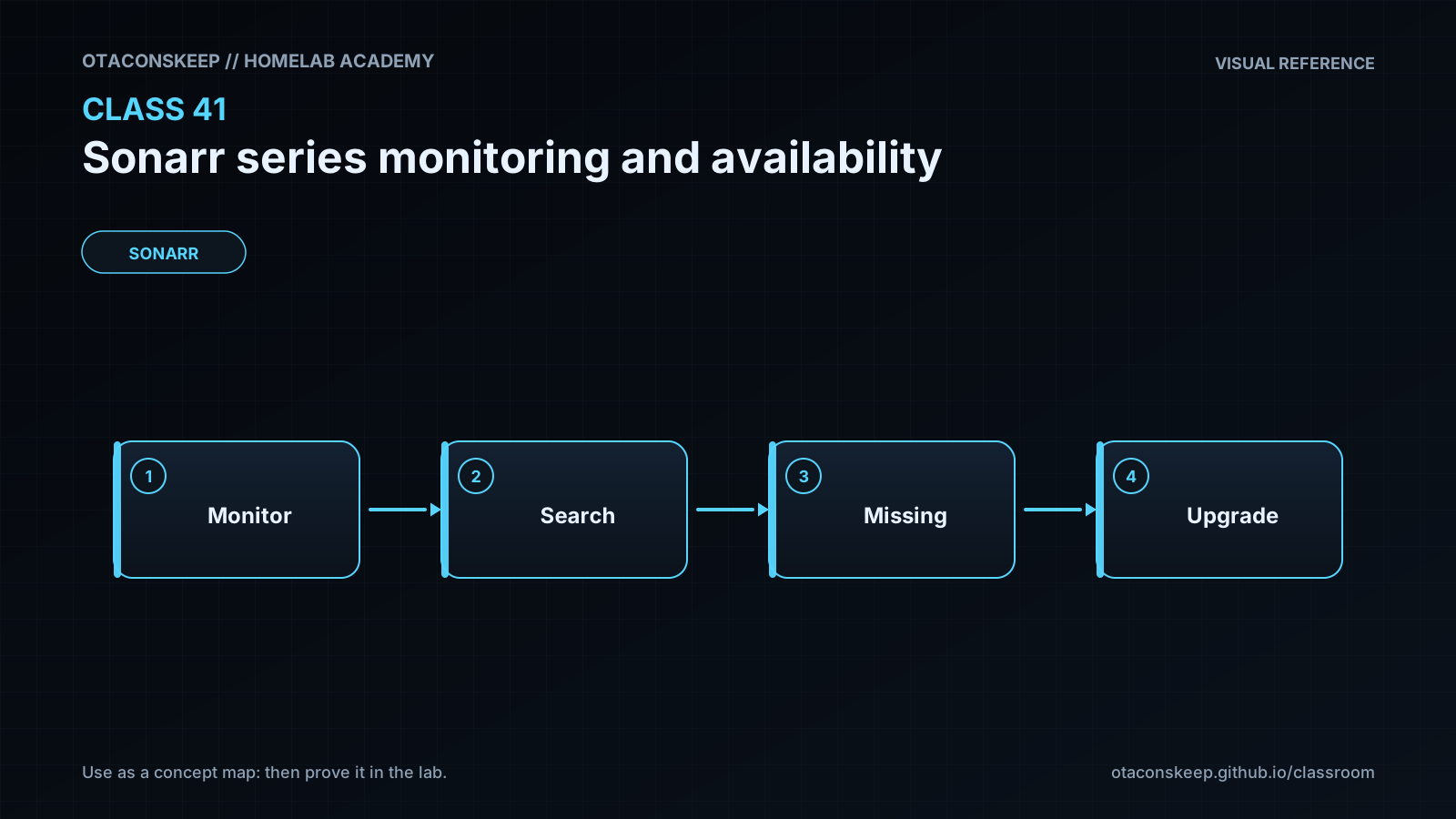
Overview
Module: Sonarr & Radarr
Activity type: Lab (Practice)
Lab risk: low
Objective: Differentiate monitored state from missing, available, downloaded, and cutoff-unmet states
Before you start
- Basic familiarity with Sonarr series, seasons, episodes, and quality profiles
- Ability to read JSON and run Python 3 from a terminal
- Permission to create files under /opt/lab-classroom/class41/
- A conceptual understanding of download clients and indexers; neither is required for this lab
- Completion of earlier Sonarr installation and library organization lessons, or equivalent experience
Guided lab
name
Model Monitoring and Availability Decisions Safely
safety_scope
Every file created or changed by this lab is under /opt/lab-classroom/class41/. The exercise does not alter a real Sonarr database, library, container, service, or download queue.
steps
step
1
title
Create the isolated fixture directory
instructions
Create the class directory. If it already contains work, inspect it before proceeding and use a separate child directory if preservation is required.
command
sudo install -d -m 0755 /opt/lab-classroom/class41
step
2
title
Create the baseline episode inventory
instructions
Write a deterministic inventory using 2025-03-01 as the evaluation date. Monitoring is represented explicitly at episode level so each decision can be audited.
command
sudo tee /opt/lab-classroom/class41/baseline.json >/dev/null <<'EOF'
{
"as_of": "2025-03-01",
"quality_profile": {
"cutoff": "WEB-1080p",
"ranking": {
"SDTV": 1,
"HDTV-720p": 2,
"WEB-1080p": 3,
"Bluray-1080p": 4
}
},
"episodes": [
{
"series": "Harbor Signal",
"episode": "S01E01",
"air_date": "2025-01-10",
"availability_date": "2025-01-10",
"monitored": false,
"has_file": true,
"quality": "WEB-1080p"
},
{
"series": "Harbor Signal",
"episode": "S01E02",
"air_date": "2025-02-14",
"availability_date": "2025-02-14",
"monitored": true,
"has_file": false,
"quality": null
},
{
"series": "Harbor Signal",
"episode": "S01E03",
"air_date": "2025-03-15",
"availability_date": "2025-03-16",
"monitored": true,
"has_file": false,
"quality": null
},
{
"series": "Archive Lane",
"episode": "S02E01",
"air_date": "2024-10-01",
"availability_date": "2024-10-01",
"monitored": true,
"has_file": false,
"quality": null
},
{
"series": "Archive Lane",
"episode": "S02E02",
"air_date": "2024-10-08",
"availability_date": "2024-10-08",
"monitored": false,
"has_file": true,
"quality": "HDTV-720p"
},
{
"series": "Current Affairs",
"episode": "2025-02-21",
"air_date": "2025-02-21",
"availability_date": "2025-02-21",
"monitored": true,
"has_file": true,
"quality": "HDTV-720p"
},
{
"series": "Current Affairs",
"episode": "2025-02-28",
"air_date": "2025-02-28",
"availability_date": "2025-03-03",
"monitored": true,
"has_file": false,
"quality": null
}
]
}
EOF
sudo cp /opt/lab-classroom/class41/baseline.json /opt/lab-classroom/class41/inventory.json
step
3
title
Create the offline classifier
instructions
The classifier applies the lesson's ordered state model and prints one auditable decision for every episode.
command
sudo tee /opt/lab-classroom/class41/audit.py >/dev/null <<'PY'
import json
import sys
from collections import Counter
from datetime import date
from pathlib import Path
root = Path('/opt/lab-classroom/class41')
source = root / (sys.argv[1] if len(sys.argv) > 1 else 'inventory.json')
source = source.resolve()
if root.resolve() not in source.parents:
raise SystemExit('Input must remain inside the class41 directory')
with source.open(encoding='utf-8') as handle:
data = json.load(handle)
as_of = date.fromisoformat(data['as_of'])
ranking = data['quality_profile']['ranking']
cutoff = data['quality_profile']['cutoff']
cutoff_rank = ranking[cutoff]
counts = Counter()
for item in data['episodes']:
air_date = date.fromisoformat(item['air_date'])
availability_date = date.fromisoformat(item['availability_date'])
if not item['monitored']:
state = 'unmonitored'
elif as_of < air_date:
state = 'waiting_future_air_date'
elif as_of < availability_date:
state = 'waiting_minimum_availability'
elif not item['has_file']:
state = 'missing_search_candidate'
elif item['quality'] not in ranking:
state = 'manual_review_unknown_quality'
elif ranking[item['quality']] < cutoff_rank:
state = 'cutoff_unmet_upgrade_candidate'
else:
state = 'satisfied'
counts[state] += 1
print(f"{item['series']} {item['episode']}: {state}")
print('SUMMARY')
for state in sorted(counts):
print(f'{state}={counts[state]}')
PY
sudo python3 /opt/lab-classroom/class41/audit.py inventory.json
step
4
title
Explain every baseline decision
instructions
For each output line, identify the first test that determined the state. Notice that Archive Lane S02E02 remains unmonitored even though its file is below the configured cutoff. Monitoring must be enabled before it becomes an upgrade candidate.
step
5
title
Model a monitoring-policy change
instructions
Create a separate scenario that stops monitoring Archive Lane S02E01 and starts monitoring Archive Lane S02E02. This represents changing intent without altering the baseline.
command
sudo python3 - <<'PY'
import json
from pathlib import Path
root = Path('/opt/lab-classroom/class41')
with (root / 'baseline.json').open(encoding='utf-8') as handle:
data = json.load(handle)
for item in data['episodes']:
key = (item['series'], item['episode'])
if key == ('Archive Lane', 'S02E01'):
item['monitored'] = False
if key == ('Archive Lane', 'S02E02'):
item['monitored'] = True
with (root / 'monitoring-scenario.json').open('w', encoding='utf-8') as handle:
json.dump(data, handle, indent=2)
handle.write('\n')
PY
sudo python3 /opt/lab-classroom/class41/audit.py monitoring-scenario.json
step
6
title
Model an availability correction
instructions
Create another scenario in which metadata says Current Affairs 2025-02-28 became available on its air date. Compare this with the baseline, where the episode waits until 2025-03-03.
command
sudo python3 - <<'PY'
import json
from pathlib import Path
root = Path('/opt/lab-classroom/class41')
with (root / 'baseline.json').open(encoding='utf-8') as handle:
data = json.load(handle)
for item in data['episodes']:
if item['series'] == 'Current Affairs' and item['episode'] == '2025-02-28':
item['availability_date'] = '2025-02-28'
with (root / 'availability-scenario.json').open('w', encoding='utf-8') as handle:
json.dump(data, handle, indent=2)
handle.write('\n')
PY
sudo python3 /opt/lab-classroom/class41/audit.py availability-scenario.json
step
7
title
Relate the model to a real Sonarr interface without changing it
instructions
If a Sonarr instance is available, use read-only observation to find one monitored episode, one unmonitored episode, one missing episode, and one episode with a file. Record the visible status, air date, profile, and any rejection reasons shown by an interactive-search view. Do not initiate a grab, edit monitoring, trigger a search, or enter credentials into the lab files.
Expected results
- The baseline classifies Harbor Signal S01E01 as unmonitored.
- The baseline classifies Harbor Signal S01E02 and Archive Lane S02E01 as missing search candidates.
- The baseline classifies Harbor Signal S01E03 as waiting for a future air date.
- The baseline classifies Archive Lane S02E02 as unmonitored even though its file is below the quality cutoff.
- The baseline classifies Current Affairs 2025-02-21 as a cutoff-unmet upgrade candidate.
- The baseline classifies Current Affairs 2025-02-28 as waiting for minimum availability.
- The monitoring scenario changes Archive Lane S02E01 to unmonitored and Archive Lane S02E02 to a cutoff-unmet upgrade candidate.
- The availability scenario changes Current Affairs 2025-02-28 from waiting for availability to a missing search candidate.
Verification
- [ ] Run
sudo python3 /opt/lab-classroom/class41/audit.py inventory.jsonand confirm that the summary includes unmonitored=2, missing_search_candidate=2, waiting_future_air_date=1, waiting_minimum_availability=1, and cutoff_unmet_upgrade_candidate=1. - [ ] Run
sudo python3 /opt/lab-classroom/class41/audit.py monitoring-scenario.jsonand confirm that Archive Lane S02E01 is unmonitored while Archive Lane S02E02 is cutoff unmet. - [ ] Run
sudo python3 /opt/lab-classroom/class41/audit.py availability-scenario.jsonand confirm that Current Affairs 2025-02-28 is a missing search candidate. - [ ] Run
sudo cmp /opt/lab-classroom/class41/baseline.json /opt/lab-classroom/class41/inventory.jsonimmediately after setup; no output and a zero exit status confirm the working inventory initially matches the baseline. - [ ] Run
sudo find /opt/lab-classroom/class41 -maxdepth 1 -type f -printf '%f\n' | sortand confirm that all lab artifacts remain inside the designated class directory.
Break/fix
| Symptom | Likely cause | Fix |
|---|---|---|
| Python reports that an input must remain inside the class41 directory. | The argument supplied to audit.py resolves outside the permitted lab directory. | Place the JSON scenario in /opt/lab-classroom/class41/ and pass only its local filename, such as inventory.json. |
| The classifier reports a JSON decoding error. | A scenario file contains a missing comma, unmatched quote, or other invalid JSON. | Compare the scenario with baseline.json or recreate it by rerunning the scenario-generation step. |
| A monitored old episode in Sonarr remains missing after monitoring is enabled. | Monitoring changed eligibility, but RSS processing did not search historical indexer results. | Review profile and integration health, then use interactive search for a small diagnostic sample before considering a controlled automatic search. |
| Interactive search shows releases, but every release is rejected. | The candidates conflict with the quality profile, custom-format score, language policy, release restrictions, series type, age limits, or another acceptance rule. | Read the displayed rejection reasons and correct the specific policy or parsing issue rather than broadly weakening all restrictions. |
| An aired episode is shown as future or not yet available. | Metadata, time-zone handling, streaming release timing, or minimum-availability policy differs from the expected schedule. | Check Sonarr's effective episode dates, host time, container time, series metadata, and configured availability behavior before forcing a search. |
| An episode has a file but Sonarr continues looking for releases. | The existing file is below the assigned quality cutoff or does not satisfy format-scoring policy. | Inspect the episode file quality, assigned profile, cutoff, custom-format scores, and upgrade permissions. |
| A season appears monitored, but selected episodes are ignored. | Episode-level monitoring exceptions exist or a previous bulk operation changed only part of the hierarchy. | Open the season details and verify the effective monitoring flag for each affected episode. |
| A broad search creates more activity than expected. | Many historical episodes or upgrade candidates were monitored at once. | Pause further search activity in the appropriate application controls, inspect the monitored count and queue, and apply changes to a small series or season before expanding scope. |
Security
principles
Treat the Sonarr API key as a secret because it can authorize library and application changes.
Use a dedicated administrative account or protected access path for Sonarr management.
Do not expose Sonarr directly to an untrusted network without appropriate authentication and a maintained access-control layer.
Review monitoring changes before initiating searches because they can cause downloads, storage consumption, and third-party service requests.
Apply least privilege to media, download, and configuration paths.
lab_controls
The lab is offline and stores only fabricated series metadata under /opt/lab-classroom/class41/. No production URLs, API keys, indexer credentials, download-client credentials, or real library paths are required.
operational_warning
Bulk monitoring and search operations can generate significant indexer requests and download activity. Validate one series or a small season first, then review the queue and rejection reasons before widening scope.
Rollback
goal
Return the exercise to its original baseline without affecting any path outside the class directory.
steps
Restore the working inventory with sudo cp /opt/lab-classroom/class41/baseline.json /opt/lab-classroom/class41/inventory.json.
Ignore or retain monitoring-scenario.json and availability-scenario.json as audit evidence; they have no connection to a Sonarr instance.
Rerun sudo python3 /opt/lab-classroom/class41/audit.py inventory.json and verify the original summary.
If a real Sonarr interface was observed, no rollback is required because the lab instructed read-only observation.