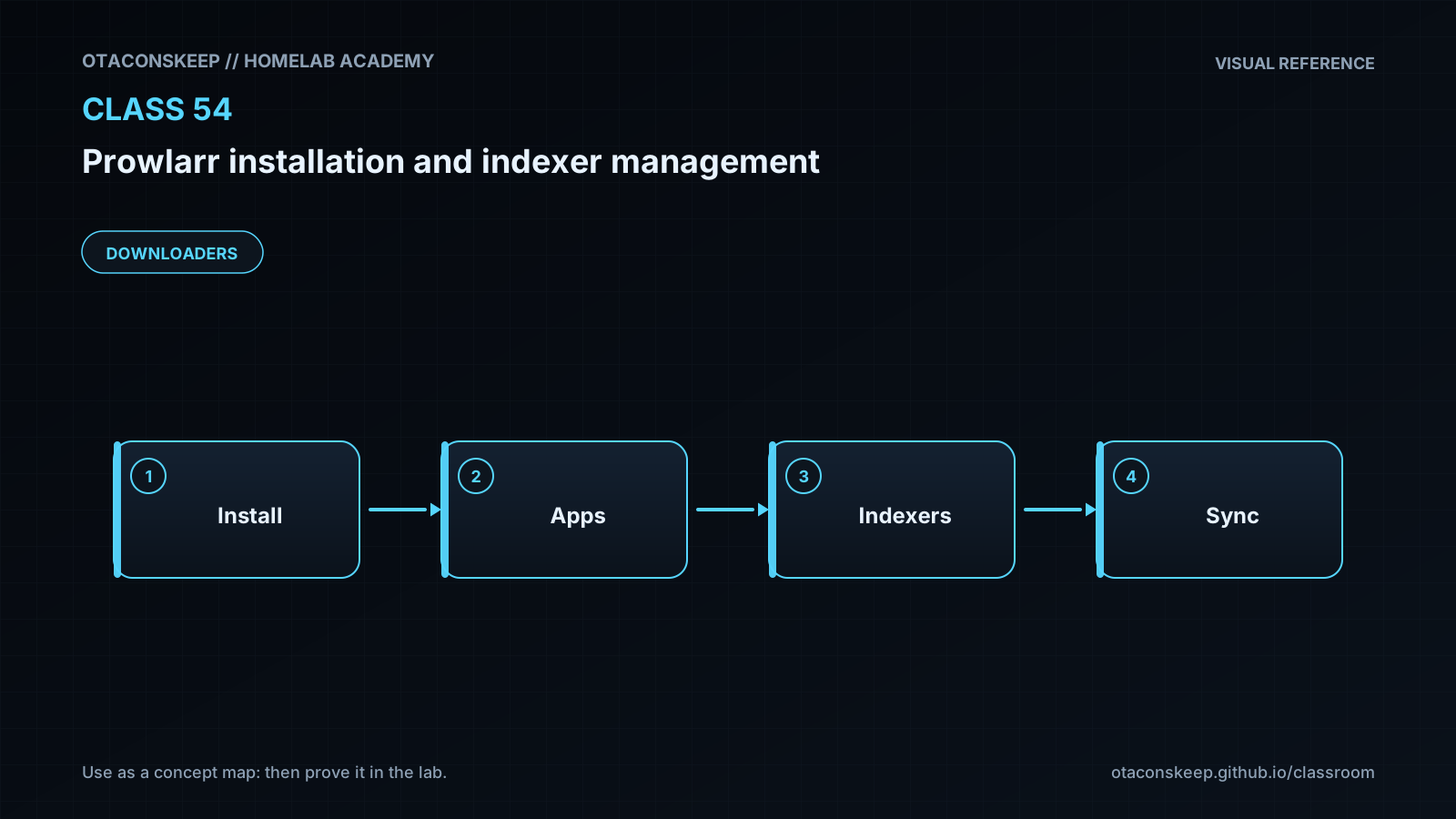
Overview
Module: Download Clients & Indexers
Activity type: Lab (Practice)
Lab risk: low
Objective: Explain why Prowlarr centralizes indexer definitions for compatible media-management applications.
Before you start
- A Linux x86_64 or ARM64 host supported by the current Prowlarr Linux release.
- The directory /opt/lab-classroom/class54/ already exists and is writable by the lab user.
- Python 3 is installed and available as python3.
- The host can make HTTPS requests to api.github.com and GitHub release asset endpoints.
- TCP ports 9696 and 18080 are unused on the host.
- The learner understands basic Linux process management, files, directories, ports, and HTTP URLs.
- A graphical browser is available on the same host, or the Prowlarr web interface can be reached through an approved administrative access path.
Guided lab
scope_rule
Every file created or changed by this lab must remain below /opt/lab-classroom/class54/. Do not substitute a system application directory, a normal user home directory, or another service's data directory.
steps
step
1
title
Prepare isolated directories
commands
cd /opt/lab-classroom/class54
mkdir -p app data home tmp cache config state logs mock
notes
The class directory must already exist. The subdirectories provide explicit locations for application, persistent, temporary, and teaching-service files.
step
2
title
Download the current official Prowlarr release for the host architecture
commands
cd /opt/lab-classroom/class54
cat > download_prowlarr.py <<'PY'
import hashlib
import json
import platform
import urllib.request
from pathlib import Path
root = Path('/opt/lab-classroom/class54')
api = 'https://api.github.com/repos/Prowlarr/Prowlarr/releases/latest'
machine = platform.machine().lower()
architectures = {
'x86_64': 'x64',
'amd64': 'x64',
'aarch64': 'arm64',
'arm64': 'arm64'
}
if machine not in architectures:
raise SystemExit(f'Unsupported lab architecture: {machine}')
arch = architectures[machine]
request = urllib.request.Request(api, headers={'User-Agent': 'OtaconsKeep-Homelab-Academy-Class54'})
with urllib.request.urlopen(request, timeout=30) as response:
release_bytes = response.read()
release = json.loads(release_bytes)
(root / 'release.json').write_bytes(release_bytes)
assets = [
asset for asset in release.get('assets', [])
if asset.get('name', '').lower().endswith(f'linux-core-{arch}.tar.gz')
and 'musl' not in asset.get('name', '').lower()
]
if len(assets) != 1:
names = [asset.get('name', '') for asset in release.get('assets', [])]
raise SystemExit(f'Expected one Linux {arch} archive; candidates were: {names}')
asset = assets[0]
archive = root / 'prowlarr.tar.gz'
asset_request = urllib.request.Request(asset['browser_download_url'], headers={'User-Agent': 'OtaconsKeep-Homelab-Academy-Class54'})
with urllib.request.urlopen(asset_request, timeout=120) as response, archive.open('wb') as output:
while True:
block = response.read(1024 * 1024)
if not block:
break
output.write(block)
digest = hashlib.sha256(archive.read_bytes()).hexdigest()
(root / 'prowlarr.sha256').write_text(f'{digest} prowlarr.tar.gz\n', encoding='utf-8')
(root / 'selected-release.txt').write_text(
f"tag={release.get('tag_name', '')}\nasset={asset['name']}\nurl={asset['browser_download_url']}\n",
encoding='utf-8'
)
print((root / 'selected-release.txt').read_text(), end='')
print((root / 'prowlarr.sha256').read_text(), end='')
PY
python3 /opt/lab-classroom/class54/download_prowlarr.py
notes
Python validates HTTPS certificates through its standard TLS configuration. The generated digest is a local audit record, not an independent publisher signature.
step
3
title
Validate archive paths and extract Prowlarr
commands
cd /opt/lab-classroom/class54
cat > extract_prowlarr.py <<'PY'
import shutil
import tarfile
from pathlib import Path, PurePosixPath
root = Path('/opt/lab-classroom/class54')
archive = root / 'prowlarr.tar.gz'
destination = root / 'app'
if any(destination.iterdir()):
raise SystemExit('The app directory is not empty; preserve or clear it before extraction.')
with tarfile.open(archive, 'r:gz') as bundle:
members = bundle.getmembers()
for member in members:
path = PurePosixPath(member.name)
if path.is_absolute() or '..' in path.parts:
raise SystemExit(f'Unsafe archive path: {member.name}')
if member.issym() or member.islnk() or member.isdev() or member.isfifo():
raise SystemExit(f'Unsupported special archive entry: {member.name}')
bundle.extractall(destination, members=members)
with (root / 'archive-files.txt').open('w', encoding='utf-8') as listing:
for member in members:
listing.write(member.name + '\n')
binaries = list(destination.rglob('Prowlarr'))
if len(binaries) != 1 or not binaries[0].is_file():
raise SystemExit(f'Expected exactly one Prowlarr executable; found: {binaries}')
binaries[0].chmod(binaries[0].stat().st_mode | 0o100)
(root / 'prowlarr-binary.txt').write_text(str(binaries[0]) + '\n', encoding='utf-8')
print(binaries[0])
PY
python3 /opt/lab-classroom/class54/extract_prowlarr.py
notes
The extractor rejects absolute paths, parent traversal, links, devices, and named pipes before extraction.
step
4
title
Create an isolated Prowlarr launcher
commands
cd /opt/lab-classroom/class54
cat > start-prowlarr.sh <<'SH'
!/bin/sh
set -eu
ROOT=/opt/lab-classroom/class54
export HOME="$ROOT/home"
export TMPDIR="$ROOT/tmp"
export XDG_CACHE_HOME="$ROOT/cache"
export XDG_CONFIG_HOME="$ROOT/config"
export XDG_STATE_HOME="$ROOT/state"
export DOTNET_CLI_HOME="$ROOT/home"
BIN=$(cat "$ROOT/prowlarr-binary.txt")
if [ ! -x "$BIN" ]; then
echo "Prowlarr executable is missing or not executable: $BIN" >&2
exit 1
fi
exec "$BIN" -nobrowser -data="$ROOT/data"
SH
chmod u+x /opt/lab-classroom/class54/start-prowlarr.sh
cd /opt/lab-classroom/class54 && nohup ./start-prowlarr.sh > ./logs/prowlarr-console.log 2>&1 & echo $! > ./prowlarr.pid
sleep 8
python3 -c "import urllib.request; print(urllib.request.urlopen('http://127.0.0.1:9696', timeout=10).status)"
notes
If the final command does not print a successful HTTP status, inspect logs/prowlarr-console.log before continuing.
step
5
title
Create and start the local Torznab teaching indexer
commands
cd /opt/lab-classroom/class54
cat > mock/mock_indexer.py <<'PY'
from http.server import BaseHTTPRequestHandler, ThreadingHTTPServer
from urllib.parse import parse_qs, urlparse
from datetime import datetime, timezone
from pathlib import Path
ROOT = Path('/opt/lab-classroom/class54')
LOG = ROOT / 'logs' / 'mock-indexer.log'
CAPS = b'''<?xml version="1.0" encoding="UTF-8"?>
'''
def search_xml(query):
safe_query = ''.join(ch for ch in query if ch.isalnum() or ch in ' ._-')[:80] or 'Class 54 Test'
published = datetime.now(timezone.utc).strftime('%a, %d %b %Y %H:%M:%S +0000')
return f'''<?xml version="1.0" encoding="UTF-8"?>
http://127.0.0.1:18080/
http://127.0.0.1:18080/download/1.torrent
'''.encode('utf-8')
class Handler(BaseHTTPRequestHandler):
def log_message(self, fmt, *args):
with LOG.open('a', encoding='utf-8') as output:
output.write('%s %s\n' % (self.log_date_time_string(), fmt % args))
def do_GET(self):
    parsed = urlparse(self.path)
    params = parse_qs(parsed.query)
    if parsed.path in ('/', '/api') and params.get('t', [''])[0] == 'caps':
        body = CAPS
        status = 200
        content_type = 'application/xml; charset=utf-8'
    elif parsed.path in ('/', '/api') and params.get('t', [''])[0] in ('search', 'tvsearch', 'movie'):
        body = search_xml(params.get('q', ['Class 54 Test'])[0])
        status = 200
        content_type = 'application/xml; charset=utf-8'
    elif parsed.path == '/':
        body = b'Class 54 Torznab teaching indexer\n'
        status = 200
        content_type = 'text/plain; charset=utf-8'
    else:
        body = b'No payload is provided by this teaching endpoint.\n'
        status = 404
        content_type = 'text/plain; charset=utf-8'
    self.send_response(status)
    self.send_header('Content-Type', content_type)
    self.send_header('Content-Length', str(len(body)))
    self.end_headers()
    self.wfile.write(body)
server = ThreadingHTTPServer(('127.0.0.1', 18080), Handler)
server.serve_forever()
PY
cd /opt/lab-classroom/class54 && nohup python3 ./mock/mock_indexer.py > ./logs/mock-console.log 2>&1 & echo $! > ./mock-indexer.pid
sleep 2
python3 -c "import urllib.request; u='http://127.0.0.1:18080/api?t=caps'; print(urllib.request.urlopen(u, timeout=5).read().decode())"
notes
The teaching indexer binds only to loopback and returns synthetic XML. Its download URL deliberately returns no payload.
step
6
title
Complete Prowlarr first-run configuration
commands
notes
Open http://127.0.0.1:9696 in a browser. Complete any first-run authentication prompt. Use a unique lab credential and do not reuse a production password. Interface wording can vary by release.
step
7
title
Add the Generic Torznab teaching indexer
commands
notes
In Prowlarr, open Indexers, choose Add Indexer, and select Generic Torznab. Set the name to Class 54 Teaching Indexer. Set the URL to http://127.0.0.1:18080. If the form displays a separate API Path field, set it to /api. If it expects the path in the URL instead, use http://127.0.0.1:18080/api. Enter mock-key if the form requires an API key. Leave redirect settings disabled, enable the search modes appropriate to the lab, run Test, and save only after the test succeeds.
step
8
title
Exercise indexer management
commands
notes
Open the saved indexer and inspect its detected categories. Perform an interactive search for Class 54 Test. Confirm that a synthetic result appears. Disable the indexer and observe that it is excluded from normal enabled-indexer operations, then enable it again. Review System, Events and System, Log Files to connect interface actions with operational evidence.
step
9
title
Observe a controlled failure and recover
commands
cd /opt/lab-classroom/class54 && kill "$(cat mock-indexer.pid)"
sleep 2
notes
Run the indexer test again and record the error. This demonstrates a transport failure rather than an authentication or category failure. Restart the teaching indexer with the command from step 5, verify the capabilities URL, and retest the indexer in Prowlarr.
Expected results
- The official release metadata is stored in /opt/lab-classroom/class54/release.json.
- The selected asset details are recorded in /opt/lab-classroom/class54/selected-release.txt.
- The downloaded archive has a local SHA-256 record in /opt/lab-classroom/class54/prowlarr.sha256.
- Exactly one Prowlarr executable is discovered beneath /opt/lab-classroom/class54/app/.
- Prowlarr responds through its web interface on TCP port 9696.
- The teaching indexer returns Torznab capability XML on 127.0.0.1:18080.
- Prowlarr successfully tests and saves the Class 54 Teaching Indexer definition.
- An interactive search returns one clearly labeled synthetic result.
- Stopping the teaching indexer causes a connection-oriented test failure, and restarting it restores a successful test.
- Prowlarr configuration, database, logs, temporary files, and lab artifacts remain below /opt/lab-classroom/class54/.
Verification
- [ ] Run: python3 -c "import hashlib,pathlib; p=pathlib.Path('/opt/lab-classroom/class54/prowlarr.tar.gz'); print(hashlib.sha256(p.read_bytes()).hexdigest())" and compare the output with the first field in /opt/lab-classroom/class54/prowlarr.sha256.
- [ ] Run: cat /opt/lab-classroom/class54/prowlarr-binary.txt and confirm that the path begins with /opt/lab-classroom/class54/app/.
- [ ] Run: python3 -c "import urllib.request; print(urllib.request.urlopen('http://127.0.0.1:9696', timeout=5).status)" and confirm a successful HTTP response.
- [ ] Run: python3 -c "import urllib.request; print(urllib.request.urlopen('http://127.0.0.1:18080/api?t=caps', timeout=5).status)" and confirm status 200.
- [ ] Inspect /opt/lab-classroom/class54/logs/mock-indexer.log and confirm that Prowlarr requested a capability query during its indexer test.
- [ ] In Prowlarr, run Test on Class 54 Teaching Indexer and confirm that the interface reports success.
- [ ] In Prowlarr, perform an interactive search for Class 54 Test and confirm that the result title includes Synthetic Result.
- [ ] In Prowlarr, inspect System, Events and verify that indexer test activity is visible.
- [ ] Run: find /opt/lab-classroom/class54 -maxdepth 2 -type f -print and identify the release metadata, digest, launcher, process identifiers, logs, mock service, and application data.
Break/fix
| Symptom | Likely cause | Fix |
|---|---|---|
| The release downloader reports an unsupported architecture. | The host is not x86_64 or ARM64, or platform.machine() returned an architecture not mapped by the lab. | Use a Prowlarr-supported host architecture and confirm that the matching official Linux core release asset exists. Do not select an asset for a different processor. |
| The release API request fails. | DNS, HTTPS egress, certificate trust, GitHub availability, or API rate limiting prevented the request. | Verify system time, DNS resolution, trusted certificate configuration, and access to api.github.com. Retry after any API rate limit expires. |
| Extraction stops because the app directory is not empty. | A previous extraction is still present. | Preserve the existing app directory by moving its contents into a backup subdirectory below /opt/lab-classroom/class54/, recreate an empty app directory, and rerun extraction. |
| Prowlarr exits immediately after launch. | The release does not match the host architecture, a required runtime library is unavailable, the executable bit is missing, or the application cannot use its data directory. | Inspect logs/prowlarr-console.log, confirm the selected architecture in selected-release.txt, confirm the executable path and permissions, and confirm that every class subdirectory is writable by the lab user. |
| The Prowlarr web interface does not answer on port 9696. | Prowlarr is still starting, exited with an error, or another process already owns the port. | Inspect the console log and process identifier, wait briefly for first startup, and use the host's standard read-only socket inspection command to identify a port conflict. Stop the unrelated test process only if it is safe and authorized. |
| The teaching indexer cannot bind to port 18080. | Another process already uses 127.0.0.1:18080 or an earlier lab process is still running. | Check mock-indexer.pid and logs/mock-console.log. Stop the prior class-owned process after confirming its command line, then start the teaching indexer again. |
| Prowlarr reports that the Torznab URL is invalid or cannot retrieve capabilities. | The URL or API path was entered in the wrong field, or the teaching indexer is not running. | Verify the capabilities URL directly. Use http://127.0.0.1:18080 with API Path /api when fields are separate, or http://127.0.0.1:18080/api when the path belongs in the URL. |
| The indexer test succeeds but searches return no results. | The indexer is disabled, the selected search mode is disabled, requested categories do not overlap, or a filter excludes the synthetic result. | Enable the indexer, review RSS and search enablement options, inspect categories 2000 and 2040, remove restrictive filters, and search for Class 54 Test. |
| Prowlarr reports an authentication problem against the teaching indexer. | The selected indexer implementation imposes validation not expected by the local service or a required API-key field was left blank. | Confirm that Generic Torznab was selected and enter mock-key when the form requires an API key. The teaching service accepts the value but does not validate it. |
| A connected automation application does not receive an indexer. | The application connection, sync profile, tag matching, category mapping, or application API credentials are incorrect. | Test the application connection separately, inspect sync settings and tags, confirm compatible categories, and review Prowlarr events. Application synchronization is conceptually covered here but is not required by this isolated lab. |
Security
Use indexers only when their use and indexed material comply with applicable law, provider terms, and organizational policy.
Treat indexer API keys and application API keys as secrets. Do not place real credentials in screenshots, tickets, shell history, or public repositories.
Use a unique administrative credential if the first-run interface requires authentication.
Do not expose this lab instance directly to untrusted networks. The mock indexer intentionally binds only to 127.0.0.1.
In production, run Prowlarr as a dedicated, unprivileged service identity with access only to its own application data.
Protect backups because the Prowlarr database can contain endpoints, API keys, operational history, and application connection details.
A locally generated digest can identify later archive changes but does not establish publisher authenticity by itself.
Review release notes before production upgrades and retain a restorable backup of the application data directory.
Avoid enabling broad proxying or bypass behavior merely to make a failing indexer pass; diagnose transport, certificate, authentication, protocol, and rate-limit errors separately.
The teaching indexer's result is synthetic, and its download endpoint intentionally provides no content.
Rollback
stop_services
If /opt/lab-classroom/class54/mock-indexer.pid exists, inspect the recorded process and stop it with: cd /opt/lab-classroom/class54 && kill "$(cat mock-indexer.pid)"
If /opt/lab-classroom/class54/prowlarr.pid exists, inspect the recorded process and stop it with: cd /opt/lab-classroom/class54 && kill "$(cat prowlarr.pid)"
preserve_state
Leave the class directory in place to preserve logs, release metadata, the digest, and Prowlarr's database for review.
reset_application_state
Confirm that the Prowlarr process is stopped.
Run: cd /opt/lab-classroom/class54 && mv data data-preserved
Run: cd /opt/lab-classroom/class54 && mkdir data
Start Prowlarr again to create a fresh first-run state while preserving the former data under data-preserved.
restore_reset_state
Stop Prowlarr.
Run: cd /opt/lab-classroom/class54 && mv data data-fresh
Run: cd /opt/lab-classroom/class54 && mv data-preserved data
Start Prowlarr and verify the restored indexer configuration.