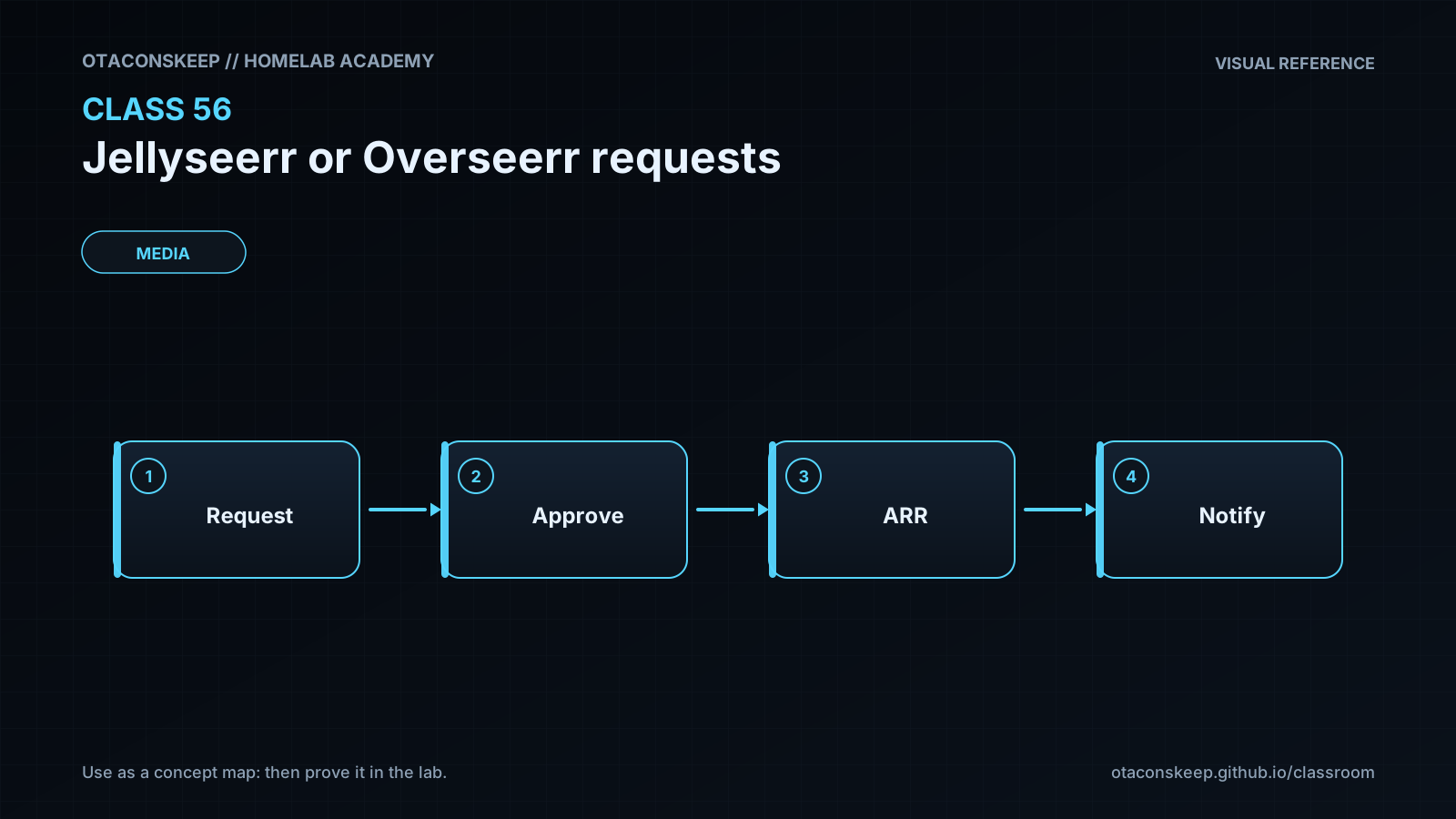
Overview
Module: Requests & Media Servers
Activity type: Lab (Practice)
Lab risk: low
Objective: Explain the role of Jellyseerr or Overseerr between users, a media server, and download automation
Before you start
- Basic familiarity with Docker containers and YAML
- A Linux host or classroom environment with Python 3
- Docker Compose v2 is recommended for Compose validation
- General understanding of a Plex or Jellyfin media library
- Permission to create files under /opt/lab-classroom/class56/
- No production media-server, download-client, or request-manager credentials are required for this lab
Guided lab
scope
All created or modified filesystem content is confined to /opt/lab-classroom/class56/. The exercise does not start containers, contact TMDB, or modify a production service.
steps
step
1
title
Create the isolated workspace
instructions
Create directories for the Compose project and its future application configuration.
commands
mkdir -p /opt/lab-classroom/class56/config
step
2
title
Create and inspect the Compose model
instructions
Write the following content to /opt/lab-classroom/class56/compose.yaml. The loopback port prevents direct LAN exposure, and the persistent path remains inside the class workspace.
file
/opt/lab-classroom/class56/compose.yaml
content
services:
jellyseerr:
image: ${JELLYSEERR_IMAGE:?JELLYSEERR_IMAGE must be set}
restart: unless-stopped
environment:
TZ: ${TZ:?TZ must be set}
LOG_LEVEL: info
ports:
- "127.0.0.1:5055:5055"
volumes:
- /opt/lab-classroom/class56/config:/app/config
step
3
title
Provide non-secret Compose interpolation values
instructions
Write the following content to /opt/lab-classroom/class56/.env.example. This file intentionally contains no TMDB, media-server, automation, or webhook credential.
file
/opt/lab-classroom/class56/.env.example
content
JELLYSEERR_IMAGE=ghcr.io/fallenbagel/jellyseerr:latest
TZ=Etc/UTC
step
4
title
Validate the Docker Compose definition
instructions
If Docker Compose v2 is installed, render the effective model. This validates interpolation and YAML structure without starting a container. If Docker Compose is unavailable, record that limitation and manually inspect the bind address, volume path, image interpolation, and environment interpolation.
commands
cd /opt/lab-classroom/class56 && docker compose --env-file .env.example config
success_conditions
The rendered service uses the Jellyseerr image reference supplied by .env.example.
The published address is 127.0.0.1:5055 rather than an all-interface binding.
The only host volume path is /opt/lab-classroom/class56/config.
No credential appears in compose.yaml or .env.example.
step
5
title
Create the intentionally unsafe policy
instructions
Write the following policy to /opt/lab-classroom/class56/request-policy.json. Do not repair it yet. It is intentionally unacceptable and exists to prove that the validator rejects unsafe settings.
file
/opt/lab-classroom/class56/request-policy.json
content
{
"approval": {
"manual_required": false,
"auto_approve": true
},
"roles": {
"default": "administrator",
"synced_user_role": "administrator"
},
"limits": {
"weekly_requests": 0
},
"integrations": {
"tmdb": {
"api_key_source": "missing"
},
"media_server": {
"user_sync": false
}
},
"availability": {
"sync_marks_existing": true,
"triggers_library_scan": true
},
"secrets_inline": true
}
step
6
title
Create the policy validator
instructions
Write the following Python program to /opt/lab-classroom/class56/validate_policy.py. The validator reports every failed control and exits nonzero when any control fails.
file
/opt/lab-classroom/class56/validate_policy.py
content
import json
import pathlib
import sys
path = pathlib.Path(sys.argv[1] if len(sys.argv) > 1 else "/opt/lab-classroom/class56/request-policy.json")
try:
policy = json.loads(path.read_text(encoding="utf-8"))
except Exception as exc:
print(f"FAIL: cannot parse {path}: {exc}")
raise SystemExit(2)
checks = [
(policy.get("approval", {}).get("manual_required") is True, "manual approval must be required"),
(policy.get("approval", {}).get("auto_approve") is False, "automatic approval must be disabled"),
(policy.get("roles", {}).get("default") == "requester", "default role must be requester"),
(policy.get("roles", {}).get("synced_user_role") == "requester", "synchronized users must default to requester"),
(isinstance(policy.get("limits", {}).get("weekly_requests"), int) and not isinstance(policy.get("limits", {}).get("weekly_requests"), bool) and 1 <= policy.get("limits", {}).get("weekly_requests") <= 10, "weekly request limit must be an integer from 1 through 10"),
(policy.get("integrations", {}).get("tmdb", {}).get("api_key_source") == "env:TMDB_API_KEY", "TMDB credential source must be env:TMDB_API_KEY"),
(policy.get("integrations", {}).get("media_server", {}).get("user_sync") is True, "media-server user synchronization must be enabled"),
(policy.get("availability", {}).get("sync_marks_existing") is True, "availability synchronization must mark existing media"),
(policy.get("availability", {}).get("triggers_library_scan") is False, "availability synchronization must not be treated as a library-scan trigger"),
(policy.get("secrets_inline") is False, "inline secrets must be prohibited")
]
failures = [message for passed, message in checks if not passed]
if failures:
for message in failures:
print(f"FAIL: {message}")
print(f"RESULT: rejected with {len(failures)} policy violation(s)")
raise SystemExit(1)
print("PASS: policy satisfies all classroom controls")
step
7
title
Prove the unsafe policy fails
instructions
Run the validator through a shell condition that treats rejection as the expected result. This is the required negative test.
commands
cd /opt/lab-classroom/class56 && if python3 validate_policy.py request-policy.json; then echo 'UNEXPECTED: unsafe policy passed'; exit 1; else echo 'EXPECTED: unsafe policy was rejected'; fi
success_conditions
The validator prints one or more FAIL lines.
The shell prints EXPECTED: unsafe policy was rejected.
The unsafe policy is not mistaken for a deployable configuration.
step
8
title
Repair the policy without copying a golden document
instructions
Edit /opt/lab-classroom/class56/request-policy.json using an editor available in the classroom. Require manual approval, disable automatic approval, assign requester as both the default and synchronized-user role, choose an integer weekly request limit from 1 through 10, set the TMDB credential source to env:TMDB_API_KEY, enable media-server user synchronization, retain availability marking, disable library-scan triggering, and prohibit inline secrets. The range intentionally permits an operator policy decision rather than one fixed answer.
required_controls
approval.manual_required is true
approval.auto_approve is false
roles.default is requester
roles.synced_user_role is requester
limits.weekly_requests is an integer from 1 through 10
integrations.tmdb.api_key_source is env:TMDB_API_KEY
integrations.media_server.user_sync is true
availability.sync_marks_existing is true
availability.triggers_library_scan is false
secrets_inline is false
step
9
title
Validate the repaired policy
instructions
Run the validator again. Do not continue until it returns exit status zero.
commands
cd /opt/lab-classroom/class56 && python3 validate_policy.py request-policy.json
cd /opt/lab-classroom/class56 && python3 -m json.tool request-policy.json >/dev/null
success_conditions
The validator prints PASS: policy satisfies all classroom controls.
The JSON parser exits successfully.
No actual API credential has been written into the policy.
step
10
title
Review first-run operational gates
instructions
Before any later deployment, document that a legitimate TMDB credential must be supplied through the supported secret mechanism, the media-server URL and token must be tested, synchronized users must be reviewed for role assignment, libraries must be selected, and availability synchronization must not be confused with the media server's scan operation. Do not place real credentials in the class directory.
Expected results
- The workspace contains compose.yaml, .env.example, validate_policy.py, request-policy.json, and an empty or unused config directory.
- Docker Compose validation succeeds when Docker Compose v2 is available, while no Jellyseerr container is started.
- The initial unsafe policy produces a nonzero validator result and multiple explicit policy failures.
- The repaired policy parses as JSON and produces a zero validator result.
- The repaired policy uses requester roles, manual approval, a bounded weekly limit, media-server user synchronization, and environment-based TMDB credential sourcing.
- The repaired policy represents availability synchronization and library scanning as separate operations.
- No real TMDB, media-server, automation, download-client, or webhook credential is stored in the lab files.
Verification
- [ ] Run
test -d /opt/lab-classroom/class56/config && test -f /opt/lab-classroom/class56/compose.yaml && test -f /opt/lab-classroom/class56/.env.example && test -f /opt/lab-classroom/class56/validate_policy.py && test -f /opt/lab-classroom/class56/request-policy.jsonand confirm exit status zero. - [ ] Run
cd /opt/lab-classroom/class56 && docker compose --env-file .env.example configwhen Docker Compose v2 is available; confirm that interpolation succeeds and the published port begins with 127.0.0.1. - [ ] For the required negative check, temporarily copy the original unsafe policy content into
/opt/lab-classroom/class56/negative-test.json, runcd /opt/lab-classroom/class56 && python3 validate_policy.py negative-test.json, and confirm a nonzero exit status before deleting only negative-test.json withpython3 -c "from pathlib import Path; Path('/opt/lab-classroom/class56/negative-test.json').unlink()". - [ ] Run
cd /opt/lab-classroom/class56 && python3 validate_policy.py request-policy.jsonand confirm the repaired policy prints PASS and exits zero. - [ ] Run
grep -RniE 'api[_-]?key[[:space:]]*[:=][[:space:]]*[^[:space:]]+|token[[:space:]]*[:=][[:space:]]*[^[:space:]]+' /opt/lab-classroom/class56 --exclude=validate_policy.pyand manually investigate any match; the policy may name an environment source but must not contain a credential value. - [ ] After performing rollback, run
test ! -e /opt/lab-classroom/class56 && echo 'ROLLBACK COMPLETE'and confirm that ROLLBACK COMPLETE is printed.
Break/fix
| Symptom | Likely cause | Fix |
|---|---|---|
| Docker reports that the compose command is unknown. | Docker Compose v2 is not installed or the environment uses a different Compose invocation. | Record the missing dependency, perform the documented manual Compose inspection, and install or enable Docker Compose v2 through the platform's approved package-management process before deployment. |
| Compose reports that JELLYSEERR_IMAGE or TZ must be set. | The --env-file .env.example option was omitted, the command was run from another directory, or .env.example was not created correctly. | Run the command from /opt/lab-classroom/class56 with docker compose --env-file .env.example config and verify the two assignments in .env.example. |
| The unsafe policy unexpectedly passes. | The unsafe file was repaired before the negative test, the wrong file was validated, or the validator was altered. | Restore the intentionally unsafe content from Step 5, confirm the command names request-policy.json, and compare validate_policy.py with Step 6 before repeating the negative test. |
| The repaired policy still fails validation. | A Boolean was written as a quoted string, a key is misspelled, the request limit is outside the accepted range, or a required nested object is missing. | Run python3 -m json.tool /opt/lab-classroom/class56/request-policy.json, then compare each reported validator message with the required controls in Step 8. |
| Jellyseerr or Overseerr loads but metadata searches fail in a future deployment. | TMDB authentication is absent, invalid, restricted, or not visible to the application process. | Obtain a legitimate credential through TMDB, supply it using the application's supported secret mechanism, verify process access without printing the value, and retest metadata search. |
| Media-server users do not appear or receive unexpected permissions. | User synchronization is disabled, media-server authentication failed, or imported users inherited an unsuitable default role. | Test the media-server connection, enable synchronization, rerun synchronization, and review every imported account with requester as the safe default. |
| A downloaded file is not shown as available. | The file was not imported, the media server has not scanned the correct library path, or availability synchronization has not run after the media-server update. | Check the automation import first, then the media-server library scan and path mapping, and finally refresh request-manager availability. Do not assume availability synchronization scans storage. |
| The rollback verification still finds the class directory. | The rollback command was not executed, failed due to permissions, or targeted a different path. | Confirm the exact target is /opt/lab-classroom/class56, rerun the documented Python rollback command with appropriate authorized privileges, and repeat the absence test. |
Security
controls
Bind the application port to 127.0.0.1 when access is intended to pass through a reverse proxy or secure tunnel.
Use TLS and authenticated access for any remote deployment.
Do not store TMDB, media-server, automation, download-client, or webhook credentials in Compose files, screenshots, source control, or homework submissions.
Assign requester as the default role for local and synchronized users.
Restrict approval and administrative rights to designated operators.
Apply bounded request limits to reduce accidental or abusive request volume.
Review imported users after synchronization and disable stale accounts.
Grant the request manager only the downstream API permissions it requires.
Treat webhook URLs as secrets because they may embed authentication tokens.
Back up application configuration before upgrades and pin a reviewed image version or digest for production instead of relying indefinitely on a floating tag.
Keep download clients and automation APIs off untrusted networks and do not expose them merely because the request interface is user-facing.
Review logs for request denials, approval changes, failed API authentication, synchronization failures, and unexpected administrator assignments.
secret_handling
The classroom policy records only the source name env:TMDB_API_KEY. It does not require or permit a real credential in the class directory. Production operators should use the application's documented secret mechanism, a protected environment injection method, or an approved secret manager and should verify file permissions and backup handling.
identity_note
Media-server user synchronization creates or associates request-manager identities, but authorization remains a separate decision. Newly synchronized users should not become administrators automatically.
Rollback
scope
Remove the complete class workspace and every artifact created by the lab. This does not affect a container because the lab never starts one.
file_list
/opt/lab-classroom/class56/compose.yaml
/opt/lab-classroom/class56/.env.example
/opt/lab-classroom/class56/request-policy.json
/opt/lab-classroom/class56/validate_policy.py
/opt/lab-classroom/class56/negative-test.json if it remains from verification
/opt/lab-classroom/class56/homework.json if created
/opt/lab-classroom/class56/config/
/opt/lab-classroom/class56/
precheck_commands
test -d /opt/lab-classroom/class56 && find /opt/lab-classroom/class56 -maxdepth 3 -print
rollback_commands
python3 -c "import shutil; shutil.rmtree('/opt/lab-classroom/class56')"
postcheck_commands
test ! -e /opt/lab-classroom/class56 && echo 'ROLLBACK COMPLETE'
expected_postcheck
The postcheck prints ROLLBACK COMPLETE and returns exit status zero.