Overview
Module: Linux Foundations
Activity type: Reading (Learn)
Objective: Explain the different roles of an SSH private key and public key.
Vocabulary
| Term | Meaning |
|---|---|
| Private key | The secret half of an asymmetric SSH identity. It remains on the client and must be protected from disclosure. |
| Public key | The shareable half of an SSH identity. A server can authorize it without learning the private key. |
| Fingerprint | A compact digest used to identify a key without comparing the complete encoded key. |
| authorized_keys | A per-account file listing public keys that may authenticate, optionally with restrictions attached to each key. |
| Host key | A server identity key used by an SSH client to determine whether it is connecting to the expected server. |
| Passphrase | A secret used to encrypt a private-key file at rest. It is not transmitted to the SSH server. |
| Public-key authentication | Authentication in which the client proves possession of a private key corresponding to a public key authorized by the server. |
| SSH agent | A process that can retain unlocked private keys in memory and answer signing requests for client applications. |
| Defense in depth | Using multiple independent controls so that failure of one control does not immediately result in compromise. |
| Remote lockout | Loss of administrative SSH access after a configuration, identity, network, or authorization error. |
Instruction
SSH public-key authentication is based on proof of possession. The server stores a public key, while the client retains the corresponding private key. During authentication, the client signs protocol data with the private key; the server verifies the signature with the authorized public key. The private key is not uploaded to the server. A passphrase protects the private-key file if it is copied from disk, but it does not make an exposed or unlocked agent harmless. Use a distinct key for an administrative purpose or trust boundary so that one compromised identity does not silently grant access everywhere.
Ed25519 is a strong modern default for systems that support it. RSA may still be needed for specific compatibility requirements, but key type and signature compatibility must be evaluated against actual clients, servers, appliances, and compliance rules. A key comment is only a label; it is not a security boundary. Fingerprints provide a more reliable way to identify keys.
File permissions matter because another local user who can read a private key can attempt to use it. OpenSSH normally rejects private keys with overly broad permissions, but administrators should not rely solely on that safeguard. Directories holding private material should be private, and private-key files should normally be readable and writable only by their owner. Public keys are not secret, although unauthorized modification of an authorization file remains a serious integrity problem.
Server hardening must be staged. First establish and test key access for a named non-root administrative account. Keep an existing session open, verify a second independent login using the intended key, validate daemon syntax, confirm out-of-band or console recovery, and only then disable weaker authentication methods. A reload is generally safer than an abrupt restart because existing sessions can remain available, but behavior is platform-dependent. PasswordAuthentication and keyboard-interactive authentication are distinct controls on many systems. Root-login policy, forwarding, user allowlists, PAM integration, and vendor defaults must also be reviewed rather than copied blindly.
Client host-key verification protects against connecting to an impostor and is separate from user authentication. A valid user key sent through an unverified connection does not prove that the remote host is genuine. Treat unexpected host-key changes as an incident to investigate, not as an inconvenience to bypass. The lab below creates only inert fixtures and a training identity under /opt/lab-classroom/class21/. It does not install a key into a real account, change the running daemon, or reload a service.
Architecture
components
A client identity consisting of an Ed25519 private key and public key.
A sandbox authorized_keys file containing a restricted public-key entry.
A sandbox SSH daemon policy fixture for review and optional syntax checking.
Local inspection tools such as ssh-keygen, stat, grep, and cmp.
trust_boundaries
The private key remains on the client side and must not be copied to the server.
The public key crosses the trust boundary and is installed only for the intended account.
The server host key authenticates the server to the client.
An SSH agent may sign on behalf of the user and therefore becomes part of the trusted computing base.
data_flow
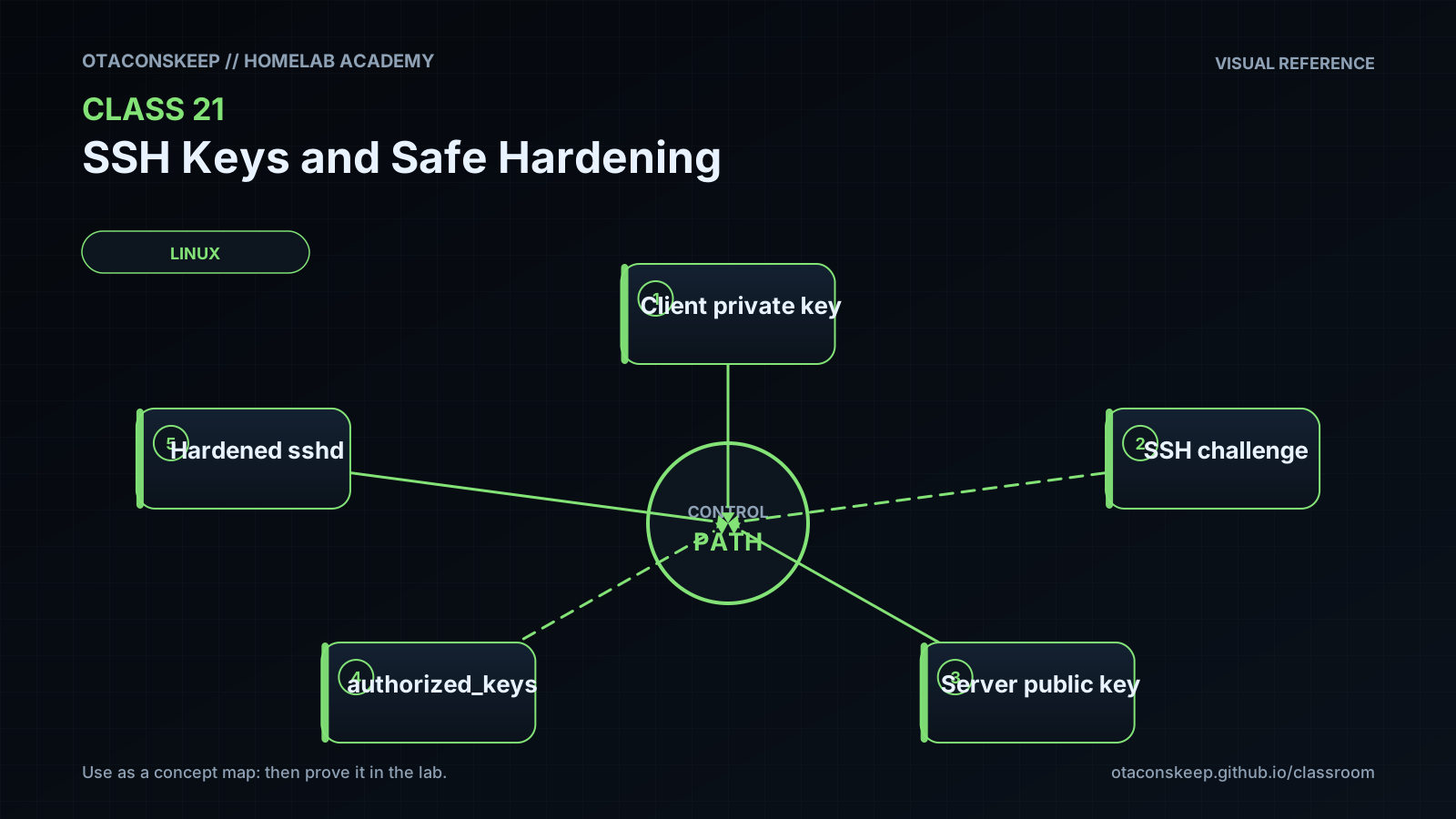
The client reads the private key locally, proves possession by signing SSH protocol data, and sends a signature rather than the private key. The server checks the signature against an authorized public key and applies any restrictions attached to that authorization entry.
lab_scope
Every file created or modified by the lab is beneath /opt/lab-classroom/class21/. The active SSH service, real user home directories, system authorization files, and production daemon configuration are not changed.
Required reading
- OpenBSD manual page: ssh-keygen(1), especially key generation, fingerprints, and passphrase changes.
- OpenBSD manual page: ssh(1), especially IdentitiesOnly, identity files, and host-key verification.
- OpenBSD manual page: authorized_keys(5), especially the restrict and from options.
- OpenBSD manual page: sshd_config(5), especially authentication, forwarding, root login, and user-access directives.
References
- OpenBSD manual: ssh(1), https://man.openbsd.org/ssh
- OpenBSD manual: ssh-keygen(1), https://man.openbsd.org/ssh-keygen
- OpenBSD manual: sshd(8), https://man.openbsd.org/sshd
- OpenBSD manual: sshd_config(5), https://man.openbsd.org/sshd_config
- OpenBSD manual: authorized_keys(5), https://man.openbsd.org/authorized_keys
- IETF RFC 4252, The Secure Shell Authentication Protocol, https://www.rfc-editor.org/rfc/rfc4252
- IETF RFC 8709, Ed25519 and Ed448 Public Key Algorithms for the Secure Shell Protocol, https://www.rfc-editor.org/rfc/rfc8709
- IETF RFC 5737, IPv4 Address Blocks Reserved for Documentation, https://www.rfc-editor.org/rfc/rfc5737